












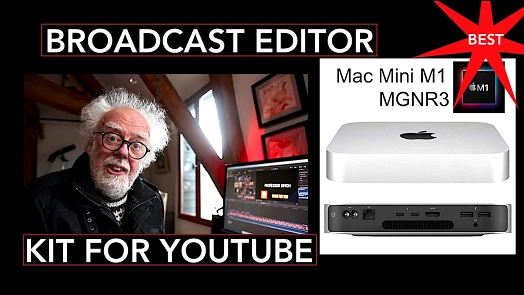



You knew something as important as the cancelleation of the XServe would end up like this. Worth watching just for the Mac Mini line.
I am the Editor-in-Chief of FCP.co and have run the website since its inception ten years ago.
I have also worked as a broadcast and corporate editor for over 30 years, starting on one inch tape, working through many formats, right up to today's NLEs.
Under the name Idustrial Revolution, I have written and sold plugins for Final Cut Pro for 13 years.
I was made a Freeman of Lichfield through The Worshipful Company of Smiths (established 1601). Though I haven't yet tried to herd a flock of sheep through the city centre!
Current Editing

2020 has been busy, the beginning of the year was finishing off a new property series (cut on FCP) for Channel 4 called The Great House Giveaway. I also designed and built the majority of the graphics as Motion templates. It has been a great success and the shows grabbed more viewers in the 4pm weekday slot than any previous strand. It has been recommissioned by C4 for 60 episodes, including prime-time versions and five themed programmes. The shows have also been nominated for a 2021 BAFTA.

Although both were postponed to later in the year, I worked again on ITV's coverage of the Tour de France and La Vuelta. 2020 was my 25th year of editing the TdF and my 20th year as lead editor. The Tour was the first broadcast show to adopt FCPX working for multiple editors on shared storage.

BBC's Snooker has played a big part in my life, I've been editing tournament coverage since 1997. I'm proud to be part of a very creative team that has pioneered many new ideas and workflows that are now industry standard in sports' production. This is currently an Adobe Premiere edit.

Covid cancelled some of the regular corporate events that I edit such as trade shows & events. I was lucky however to edit, from home, on projects for Amazon Kindle, Amazon Black Friday, Mastercard and very proud to have helped local charitable trust Kendall & Wall secure lottery funding.
As for software, my weapon of choice is Final Cut Pro and Motion, but I also have a good knowledge and broadcast credits with Adobe Premiere Pro, MOGRT design and Photoshop.
Plugin Design & Development
I'm the creative force behind Idustrial Revolution, one of the oldest Final Cut Pro plugin developers. It hosts a range of commercial and free plugins on the site. One free plugin was downloaded over a thousand times within 24 hours of release.
I also take on custom work, whether it is adapting an existing plugin for a special use or designing new plugins for clients from scratch. Having a good knowledge of editing allows me to build-in flexibility and more importantly, usability.
FCP.co
Now in its 10th year and 4th redesign, running FCP.co has given me knowledge on how to run a large CMS- you are currently reading my bio from the database! Although it sounds corny, I am pretty well up on social media trends & techniques, especially in the video sector. The recent Covid restrictions has enabled live FCP.co shows online. This involves managing a Zoom Webinar through Restream.io to YouTube and Facebook.
The Future
I'm always open to new ideas and opportunities, so please get in touch at editor (at) fcp.co. I've judged film competitions, presented workflow techniques to international audiences and come up with ideas for TV shows and software programs!
