


- Posts: 4
- Thank you received: 0
3 Post Moderation Rule for New Boarders (25 Jan 2021)
New boarders will have their posts moderated - Don't worry if you cannot see your post immediately.
FCP reduces exported mp4 resolution without warning
- connorhawke
-
 Topic Author
- Offline
- New Member
-

Less
More
21 Apr 2022 03:50 #120118
by connorhawke
FCP reduces exported mp4 resolution without warning was created by connorhawke
My video project is HD-vertical (1080x1920). After exporting it as an mp4 by using the settings Computer and H.264 Better Quality at the export prompt, I see that the resolution of the exported video has downgraded without warning to 608x1080 - although the Resolution in the export prompt itself was listed as 1080x1920! I'm having to use a third-party mov-to-mp4 converter (like the online Adobe Premier converter) as a workaround to maintain 1080x1920. How do I get FCP to export mp4s in the set resolution?
Please Log in to join the conversation.

21 Apr 2022 14:56 #120127
by VTC
Replied by VTC on topic FCP reduces exported mp4 resolution without warning
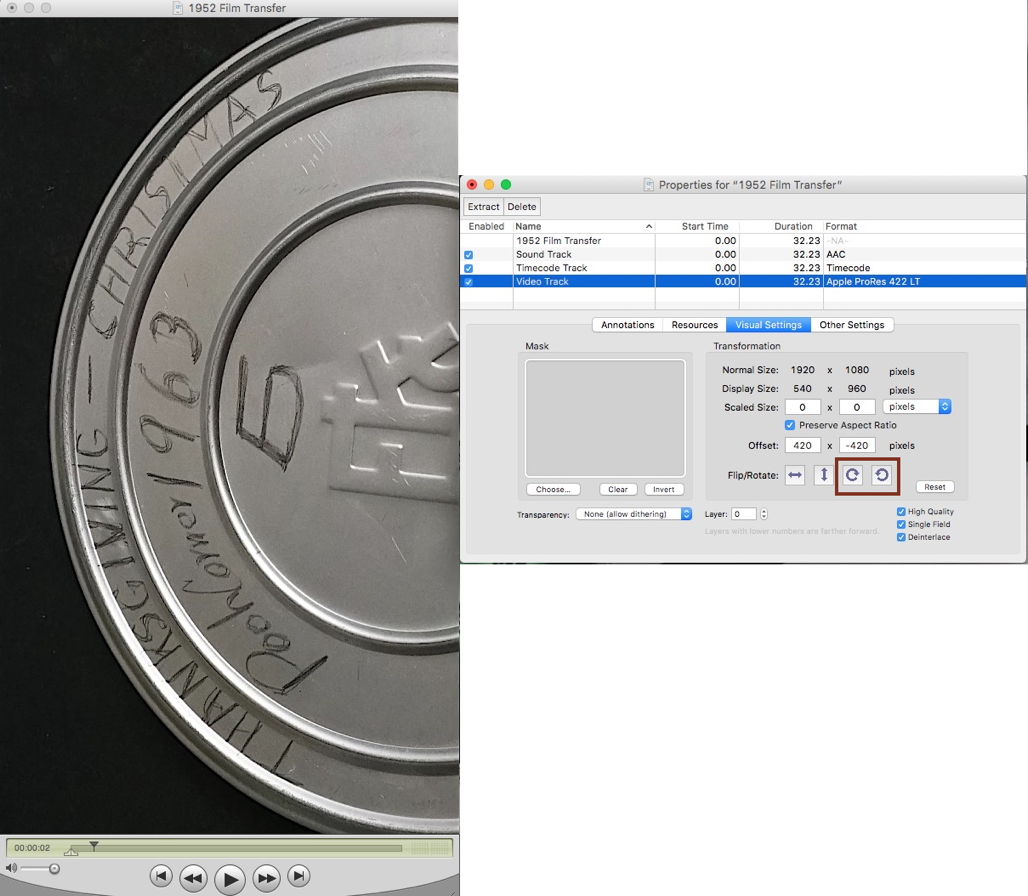
Square or rectangular pixels? Check the pixel aspect ratio. Going from rect to square on rotate could do that. (Guessing here as I haven't experienced this problem myself.) In Quicktime Player 7 you can rotate, save, and it doesn't re-encode or mandate exporting the video once again.
Please Log in to join the conversation.
- Andreas Kiel
-

- Offline
- Platinum Member
-

Less
More
- Posts: 1077
- Thank you received: 189
21 Apr 2022 15:06 #120128
by Andreas Kiel
Replied by Andreas Kiel on topic FCP reduces exported mp4 resolution without warning
It’s a bug from the preset. When you export re-select the file size and then it should work.
Please Log in to join the conversation.
- connorhawke
-
Topic Author
- Offline
- New Member
-
Less
More
- Posts: 4
- Thank you received: 0
21 Apr 2022 15:23 #120129
by connorhawke
Replied by connorhawke on topic FCP reduces exported mp4 resolution without warning
Yep I found the same suggestion that it might be a bug and to try re-selecting the desired resolution in the export prompt. Since on the prompt dropdown it was already set as 1080x1920, I changed the dropdown value to 720x1280, then back to 1080x1920, before exporting. Immediately I saw that the estimated size was significantly greater than before the switch. And it worked! Exported resolution was vertical-HD. Reported the bug to Apple.
Please Log in to join the conversation.
