




- Posts: 15
- Thank you received: 0
3 Post Moderation Rule for New Boarders (25 Jan 2021)
New boarders will have their posts moderated - Don't worry if you cannot see your post immediately.
Text box and shape copy attributes and effects
19 Dec 2021 21:56 #118064
by mark_urir
Text box and shape copy attributes and effects was created by mark_urir
Hello,
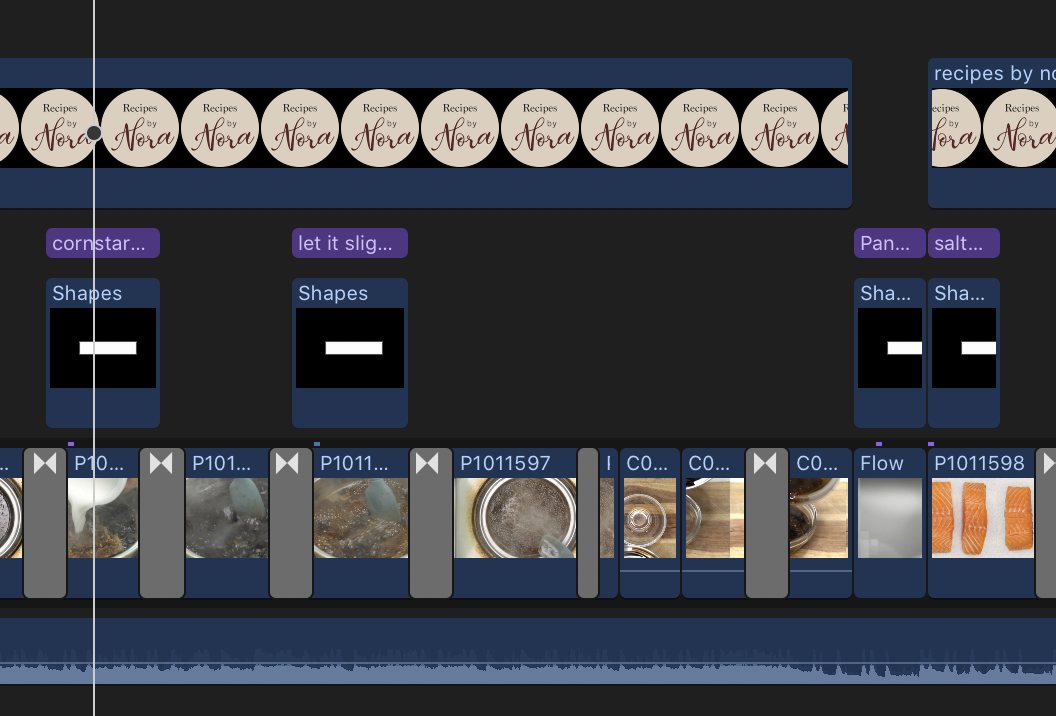
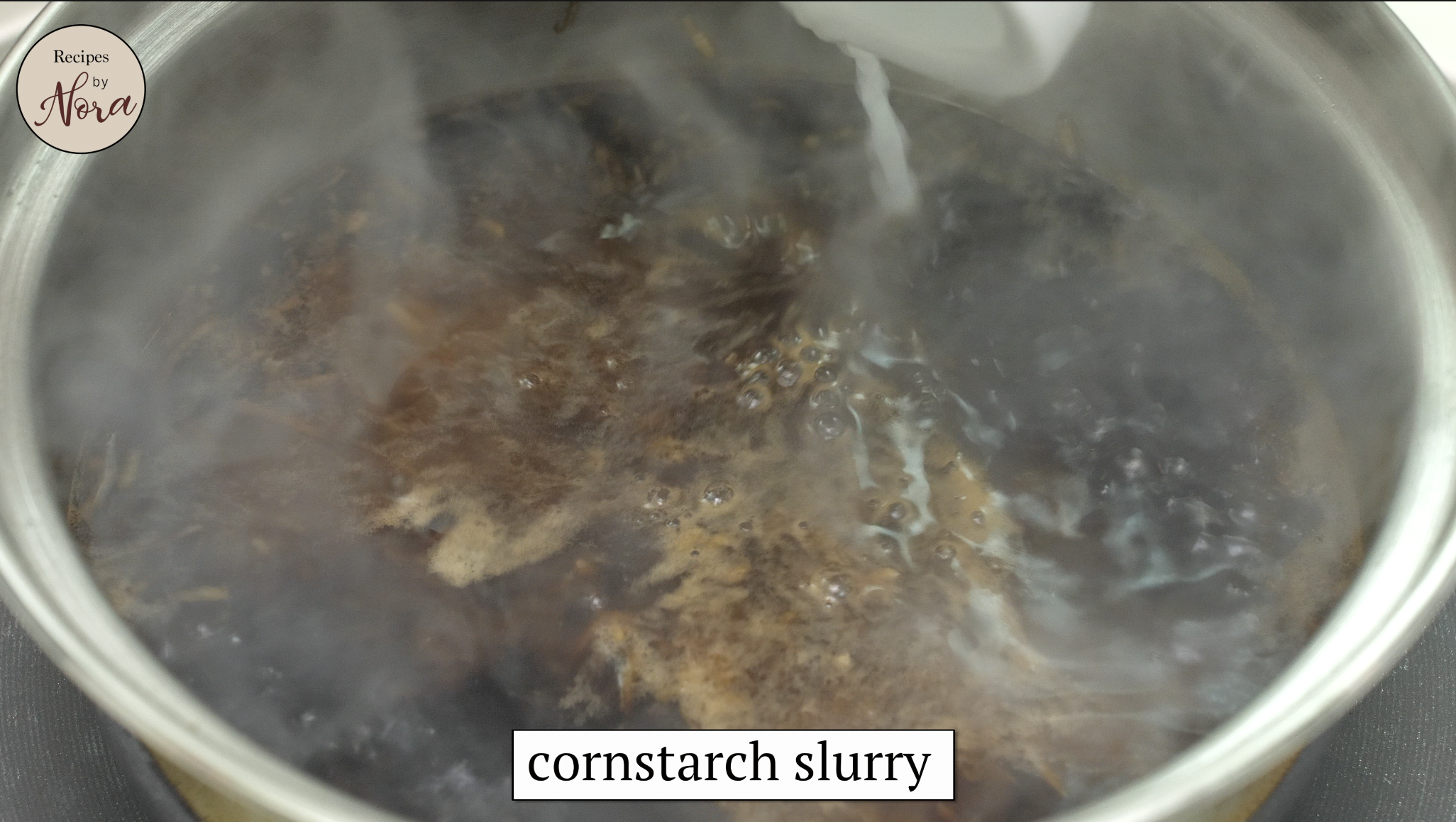
Thank you for being part of this group. I would like to ask my first question. I'm using final cut pro x (version: 10.4.9). I'm trying to figure out how to copy a text box's and shape's effects and attributes like font type, size, scaling, and position. Currently what I'm doing is clicking the text box and pressing COMMAND + C to copy but when I paste the text box into another point in the timeline it does not paste the things I mentioned. Is there a way to do this to make my workflow more efficient? Thank you very much!
Thank you for being part of this group. I would like to ask my first question. I'm using final cut pro x (version: 10.4.9). I'm trying to figure out how to copy a text box's and shape's effects and attributes like font type, size, scaling, and position. Currently what I'm doing is clicking the text box and pressing COMMAND + C to copy but when I paste the text box into another point in the timeline it does not paste the things I mentioned. Is there a way to do this to make my workflow more efficient? Thank you very much!
Please Log in to join the conversation.
- Tom Wolsky
-

- Offline
- Moderator
-

19 Dec 2021 22:32 #118065
by Tom Wolsky
Replied by Tom Wolsky on topic Text box and shape copy attributes and effects
Option-drag the text block in to the timeline to the new position.
Please Log in to join the conversation.

20 Dec 2021 03:00 #118066
by VTC
Replied by VTC on topic Text box and shape copy attributes and effects
Pretty much what Tom said. My approach is to drag the title to cover the entire timeline. The formatting parameters of CORNSTARCH are now established and remain constant throughout. Blade, change Cornstarch text to Let it Slightly... Blade, change text once again to Pan and motor on down the line. Unless someone knows magic I've never found a way to paste attributes on text.
Please Log in to join the conversation.
20 Dec 2021 04:26 #118067
by mark_urir
Replied by mark_urir on topic Text box and shape copy attributes and effects
Thanks Tom! This made my life easier!! I really appreciate your help.
Please Log in to join the conversation.
20 Dec 2021 04:28 #118068
by mark_urir
Replied by mark_urir on topic Text box and shape copy attributes and effects
Thank you very much for your help! Glad I found this forum. I've been figuring this out for a looooong time. Also, is there a way that the shape of the text box moves as you type a text? So that I won't have to adjust the rectangle every time to fit the text that I type. Thanks again!
Please Log in to join the conversation.

20 Dec 2021 10:16 #118070
by JoeEditor
Replied by JoeEditor on topic Text box and shape copy attributes and effects
If this is something you're using often, I'd create it as a custom title template in Motion.
Please Log in to join the conversation.
21 Dec 2021 01:21 #118078
by mark_urir
Replied by mark_urir on topic Text box and shape copy attributes and effects
Hi Ben,
Thanks for your response. This will greatly help with my workflow. How do I create a custom title template though? Is Motion within Final Cut Pro? thanks
Thanks for your response. This will greatly help with my workflow. How do I create a custom title template though? Is Motion within Final Cut Pro? thanks
Please Log in to join the conversation.
21 Dec 2021 15:29 #118085
by JoeEditor
Replied by JoeEditor on topic Text box and shape copy attributes and effects
Motion is a separate app, but integrates with FCP. Ripple Training has great tutorials to get you up and running really fast with Motion. It's not as hard to learn as some claim it is, if you take a good course (which doesn't take long). There's a function in Motion to create text blocks that will grow/shrink automatically with how much text is in it.
Please Log in to join the conversation.
21 Dec 2021 16:59 #118086
by mark_urir
Replied by mark_urir on topic Text box and shape copy attributes and effects
Hi Ben,
Thank you for this information.
Thank you for this information.
Please Log in to join the conversation.
- Andreas Kiel
-

- Offline
- Platinum Member
-

Less
More
- Posts: 1077
- Thank you received: 189
22 Dec 2021 12:21 #118098
by Andreas Kiel
Replied by Andreas Kiel on topic Text box and shape copy attributes and effects
Here some free Titles which allow a growing/shrinking background
www.spherico.com/filmtools/TitleExchange...gins/TextUp_2019.dmg
www.spherico.com/filmtools/TitleExchange...gins/TextUp_2019.dmg
Please Log in to join the conversation.
22 Dec 2021 18:15 #118106
by mark_urir
Replied by mark_urir on topic Text box and shape copy attributes and effects
Hi Andreas!
I appreciate you sharing this free plugin! Is there a way to put a line color on the borders of the text box?
Thank you again!
I appreciate you sharing this free plugin! Is there a way to put a line color on the borders of the text box?
Thank you again!
Please Log in to join the conversation.
- Andreas Kiel
-
- Offline
- Platinum Member
-
Less
More
- Posts: 1077
- Thank you received: 189
22 Dec 2021 19:42 #118107
by Andreas Kiel
Replied by Andreas Kiel on topic Text box and shape copy attributes and effects
Have look here and do some experiments 😊
www.spherico.com/filmtools/TitleExchange...ins/TextUp_Usage.pdf
Happy Holidays
Andreas
www.spherico.com/filmtools/TitleExchange...ins/TextUp_Usage.pdf
Happy Holidays
Andreas
Please Log in to join the conversation.
27 Dec 2021 18:42 #118150
by mark_urir
Replied by mark_urir on topic Text box and shape copy attributes and effects
Hello Andreas,
Happy holidays to you!
Thank you again for sharing your free template! I just wanted to ask. Is there a way to adjust the vertical padding of the textbox? thanks
Happy holidays to you!
Thank you again for sharing your free template! I just wanted to ask. Is there a way to adjust the vertical padding of the textbox? thanks
Please Log in to join the conversation.
- Andreas Kiel
-
- Offline
- Platinum Member
-
Less
More
- Posts: 1077
- Thank you received: 189
28 Dec 2021 16:24 #118165
by Andreas Kiel
Replied by Andreas Kiel on topic Text box and shape copy attributes and effects
Hi,
There is no option (yet).
Maybe in a 'Happy New Year 2022'
There is no option (yet).
Maybe in a 'Happy New Year 2022'
Please Log in to join the conversation.
