


- Posts: 1049
- Thank you received: 404
3 Post Moderation Rule for New Boarders (25 Jan 2021)
New boarders will have their posts moderated - Don't worry if you cannot see your post immediately.
macOS Sierra - What works and what doesn't
- peteramwiggins
-
 Topic Author
- Offline
- Administrator
-

- The Administrator :)
Less
More
19 Sep 2016 00:24 #80070
by peteramwiggins
Administrator
macOS Sierra - What works and what doesn't was created by peteramwiggins
A pinned Forum post for information about Apple's new OS, Sierra.
Please post what works, what doesn't and any other problems. Maybe it just all works.
Do we need to say don't upgrade mid project and always have a backup?
Please post what works, what doesn't and any other problems. Maybe it just all works.
Do we need to say don't upgrade mid project and always have a backup?
Administrator
Please Log in to join the conversation.
- Nervebroke
-

- Offline
- Elite Member
-

Less
More
- Posts: 177
- Thank you received: 12
19 Sep 2016 01:38 #80072
by Nervebroke
Replied by Nervebroke on topic macOS Sierra - What works and what doesn't
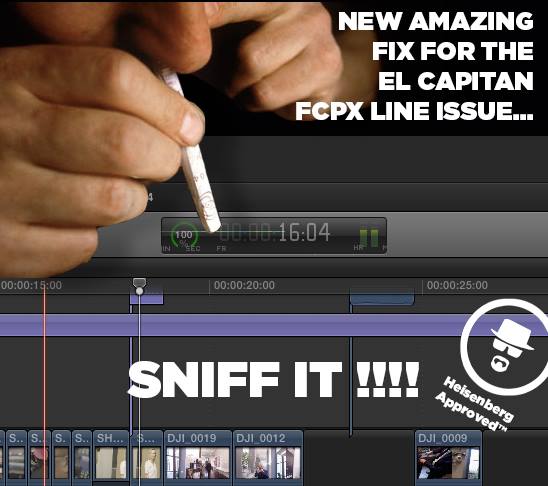
Time code bug is back

Please Log in to join the conversation.

19 Sep 2016 08:30 #80079
by Atamanov
Replied by Atamanov on topic macOS Sierra - What works and what doesn't
not about FCPX but who works in Avid too.
Does Avid NEXIS and ISIS support macOS Sierra?
Currently Avid NEXIS and ISIS do not support macOS Sierra. Not only will the client not connect, but Safari and Chrome will not connect to the Management Page if SSL is turned on or the agent because it's always SSL.
avid.force.com/pkb/articles/en_US/compat...ierra-and-Avid-NEXIS
Does Avid NEXIS and ISIS support macOS Sierra?
Currently Avid NEXIS and ISIS do not support macOS Sierra. Not only will the client not connect, but Safari and Chrome will not connect to the Management Page if SSL is turned on or the agent because it's always SSL.
avid.force.com/pkb/articles/en_US/compat...ierra-and-Avid-NEXIS
Please Log in to join the conversation.
19 Sep 2016 23:10 #80097
by jamecude
If it's purely cosmetic and doesn't affect functionality (like last time), we should just ignore it until it's fixed (like last time).
Replied by jamecude on topic macOS Sierra - What works and what doesn't
Nervebroke wrote: Time code bug is back
If it's purely cosmetic and doesn't affect functionality (like last time), we should just ignore it until it's fixed (like last time).
Please Log in to join the conversation.
- Nervebroke
-
- Offline
- Elite Member
-
Less
More
- Posts: 177
- Thank you received: 12
20 Sep 2016 00:29 #80099
by Nervebroke
(like the last time) it took forever. It is kind of hard to ignore. You ignore it all you want.
Replied by Nervebroke on topic macOS Sierra - What works and what doesn't
jamecude wrote:
Nervebroke wrote: Time code bug is back
If it's purely cosmetic and doesn't affect functionality (like last time), we should just ignore it until it's fixed (like last time).
(like the last time) it took forever. It is kind of hard to ignore. You ignore it all you want.
Please Log in to join the conversation.
- Karsten Schlüter
-

- Offline
- Moderator
-

Less
More
- Posts: 3790
- Thank you received: 718
20 Sep 2016 05:42 #80103
by Karsten Schlüter
Replied by Karsten Schlüter on topic macOS Sierra - What works and what doesn't
got a mail from my SPL-de-verb-plugin maker, plugin alliance:
… we have discovered serious problems with many Plugin Alliance products that primarily affect customers who use the Audio Unit format. …
Please Log in to join the conversation.
- Scrubelicious
-

- Offline
- Platinum Member
-

Less
More
- Posts: 1228
- Thank you received: 114
20 Sep 2016 22:28 - 20 Sep 2016 22:28 #80116
by Scrubelicious
Replied by Scrubelicious on topic macOS Sierra - What works and what doesn't
Looks different on myside of Mac world.

Last edit: 20 Sep 2016 22:28 by Scrubelicious.
Please Log in to join the conversation.
- Tom Wolsky
-

- Offline
- Moderator
-
20 Sep 2016 22:38 #80117
by Tom Wolsky
Replied by Tom Wolsky on topic macOS Sierra - What works and what doesn't
Start clicking in the dashboard and the lines will appear. Notice the offset caption that's shot off to the left.
Please Log in to join the conversation.
- Scrubelicious
-
- Offline
- Platinum Member
-
Less
More
- Posts: 1228
- Thank you received: 114
20 Sep 2016 22:39 #80118
by Scrubelicious
Yes I have noticed, but still now line.
On a Mac pro Late 2013 with ... yup latest [strike]OSX[/strike] macOS
Replied by Scrubelicious on topic macOS Sierra - What works and what doesn't
Tom Wolsky wrote: Start clicking in the dashboard and the lines will appear. Notice the offset caption that's shot off to the left.
Yes I have noticed, but still now line.
On a Mac pro Late 2013 with ... yup latest [strike]OSX[/strike] macOS
Please Log in to join the conversation.
- andrei.solomon
-
- Offline
- New Member
-

Less
More
- Posts: 1
- Thank you received: 0
20 Sep 2016 22:52 #80119
by andrei.solomon
Replied by andrei.solomon on topic macOS Sierra - What works and what doesn't
Have someone tried bruce x benchmark in Sierra? A before/after would be interesting.Thank you!
Please Log in to join the conversation.
20 Sep 2016 23:59 - 21 Sep 2016 00:33 #80121
by drewboyd
Replied by drewboyd on topic macOS Sierra - What works and what doesn't
I have a window between projects - foolhardily took the plunge. For a half day's worth of appraisal I'm pleased. For me, at least, it seems to be as stable a first day adoption as one could hope. Resolve seems to work as snappily as ever. FCPX also seems uber responsive. Avid, well, as much as it ever will.
All of the listed programs work on a base level, opening, tabbing through and overwriting a few clips to a timeline or two. I'm sure quirks will reveal themselves shortly. By no means an encompassing list, but my cursory experience with my most important applications. Happy to take requests from those who smartly hold off.
Working Apps:
DaVinci Resolve 12.5.2
FCPX 10.2.3
Avid Media Composer 8.4.0
Final Cut Pro 7
Motion 5.2.3
Movie Magic Budgeting 7.5
Movie Magic Scheduling 6
Final Draft 10.0.0
Problematic Apps:
Quickbooks 2015 (Unsupported)
Premiere Pro CS6 (Can't get it to read my R3D's, Quicktimes fine - Premiere CC 2016 untested at the moment)
Working FCPX Plugins:
Neat Video Noise Reduction 4.2
SliceX / TrackX
CoreMelt Lock & Load
iZotope RX4
Color Finale
Broken FCPX Plugins:
[strike]Color Finale[/strike]
All of the listed programs work on a base level, opening, tabbing through and overwriting a few clips to a timeline or two. I'm sure quirks will reveal themselves shortly. By no means an encompassing list, but my cursory experience with my most important applications. Happy to take requests from those who smartly hold off.
Working Apps:
DaVinci Resolve 12.5.2
FCPX 10.2.3
Avid Media Composer 8.4.0
Final Cut Pro 7
Motion 5.2.3
Movie Magic Budgeting 7.5
Movie Magic Scheduling 6
Final Draft 10.0.0
Problematic Apps:
Quickbooks 2015 (Unsupported)
Premiere Pro CS6 (Can't get it to read my R3D's, Quicktimes fine - Premiere CC 2016 untested at the moment)
Working FCPX Plugins:
Neat Video Noise Reduction 4.2
SliceX / TrackX
CoreMelt Lock & Load
iZotope RX4
Color Finale
Broken FCPX Plugins:
[strike]Color Finale[/strike]
Last edit: 21 Sep 2016 00:33 by drewboyd.
Please Log in to join the conversation.
21 Sep 2016 00:30 #80123
by epdfilm
Replied by epdfilm on topic macOS Sierra - What works and what doesn't
Didn't have a problem with Color Finale. You might need to open the Color FInale application first and hit "Restart Final Cut Pro X."
Please Log in to join the conversation.
21 Sep 2016 00:34 #80124
by drewboyd
Replied by drewboyd on topic macOS Sierra - What works and what doesn't
That did the trick indeed. Thanks for the suggestion, works like a charm.
Please Log in to join the conversation.

Less
More
- Posts: 971
- Thank you received: 46
21 Sep 2016 05:16 #80133
by MsJustine
Replied by MsJustine on topic macOS Sierra - What works and what doesn't
No lines mid box, but the hr min sec sub frame is way off where they should be, and tiny dots above the numbers.

Please Log in to join the conversation.


21 Sep 2016 07:13 #80137
by Vinc26
Replied by Vinc26 on topic macOS Sierra - What works and what doesn't
Hi,
We've successfully passed Final Cut Library Manager our test protocols on macOS Sierra. But please let us know if all is working well in the real world of your multiple workflows
If there is any issue, please send us feedback through our support page arcticwhiteness.com/support/
Regards,
Vincent.
We've successfully passed Final Cut Library Manager our test protocols on macOS Sierra. But please let us know if all is working well in the real world of your multiple workflows
If there is any issue, please send us feedback through our support page arcticwhiteness.com/support/
Regards,
Vincent.
Please Log in to join the conversation.
21 Sep 2016 10:00 - 21 Sep 2016 10:03 #80140
by robertdee
Replied by robertdee on topic macOS Sierra - What works and what doesn't
Installed after a system back up. Not noticing any problems though I needed to update Color Finale, Carbon Copy Cloner and SoftRAID. Nothing twitchy yet.
One thing I'm liking is the Siri integration - I followed this guide which I can heartily recommend as it saves the use of having to do a keyboard shortcut:
9to5mac.com/2016/07/15/how-to-enable-han...ion-on-macos-sierra/
I feel like a low rent Tony Stark. Now just to have fcpx integration for commands (play, stop, cut, nudge left, etc)...and audio file transcription with Siri?
Though annoyingly it seems to not differentiate between FCPX and FCP7 - time to archive 7 I imagine (haven't opened it in donkeys).
One thing I'm liking is the Siri integration - I followed this guide which I can heartily recommend as it saves the use of having to do a keyboard shortcut:
9to5mac.com/2016/07/15/how-to-enable-han...ion-on-macos-sierra/
I feel like a low rent Tony Stark. Now just to have fcpx integration for commands (play, stop, cut, nudge left, etc)...and audio file transcription with Siri?
Though annoyingly it seems to not differentiate between FCPX and FCP7 - time to archive 7 I imagine (haven't opened it in donkeys).
Last edit: 21 Sep 2016 10:03 by robertdee.
Please Log in to join the conversation.
21 Sep 2016 14:47 #80145
by alex.kane
Replied by alex.kane on topic macOS Sierra - What works and what doesn't
macOS doesn't seem to allow 1440p displays over HDMI -- mine is capped at 1080p. I know a lot of FCPX users will probably use multiple displays so I figured I'd make sure everybody knew about this one before upgrading.
I'm using a 15" MBP Mid 2014 with an NVIDIA 750m, and there are threads about this in /r/macos and /r/apple so I'm not the only one. SMC and PRAM resets didn't help me but helped some of them.
I'm using a 15" MBP Mid 2014 with an NVIDIA 750m, and there are threads about this in /r/macos and /r/apple so I'm not the only one. SMC and PRAM resets didn't help me but helped some of them.
Please Log in to join the conversation.
- CBlakeston
-
- Offline
- Elite Member
-
Less
More
- Posts: 175
- Thank you received: 5
21 Sep 2016 16:36 #80149
by CBlakeston
Replied by CBlakeston on topic macOS Sierra - What works and what doesn't
Denver from Color Finale sent out an email with this note:
"You need to run Color Finale from the main /Applications folder to register the bits to the new operating system in order for it to work"
"You need to run Color Finale from the main /Applications folder to register the bits to the new operating system in order for it to work
" Please Log in to join the conversation.
21 Sep 2016 17:41 #80152
by rmariga
Replied by rmariga on topic macOS Sierra - What works and what doesn't
Someone with problem in SUGARfx Light Pack?
After installation of the Sierra, this package has stopped working, displays only a solid color.

After installation of the Sierra, this package has stopped working, displays only a solid color.
Please Log in to join the conversation.
