


- Posts: 3790
- Thank you received: 718
3 Post Moderation Rule for New Boarders (25 Jan 2021)
New boarders will have their posts moderated - Don't worry if you cannot see your post immediately.
adjustable align rulers
- Karsten Schlüter
-
 Topic Author
- Offline
- Moderator
-

Less
More
18 Oct 2015 10:17 - 18 Oct 2015 10:19 #69572
by Karsten Schlüter
adjustable align rulers was created by Karsten Schlüter
For our latest school project we did a series of interviews, and - even 13y olds claim "we fix it in the post!" - on edit, we notice our subjects 'hop' across the screen. Yes, I failed as a teacher .... :woohoo:
luckily we did greenscreen, so re-framing is an option - but how much we have to move the clips?
I quickly built a ruler generator:
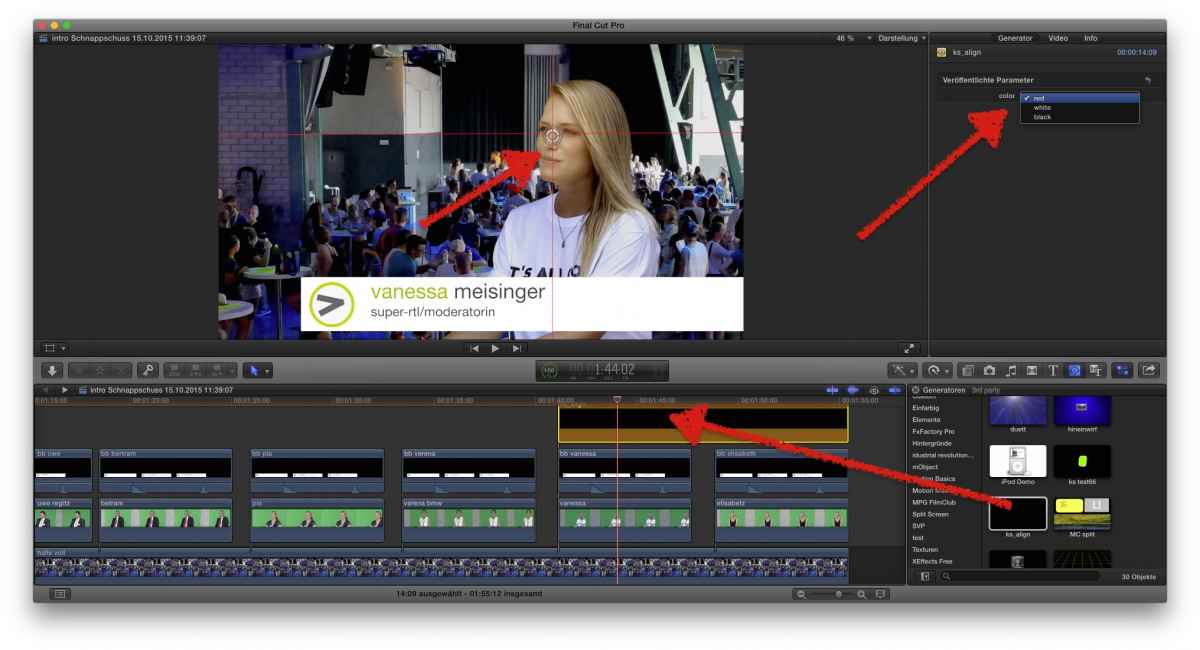
very simple:
drag it from the Generator tab over your clip(s)
a vertical and a horizontal hair-line appear
for diff. backgrounds, I added a menu, 3 colors, red, white, black
in my case, I set with the OSC the lines, as reference, on eyes and nose of Vanessa
Elisabeth obviously is a bit 'off': using the Transformation tool, I set her in the same place.
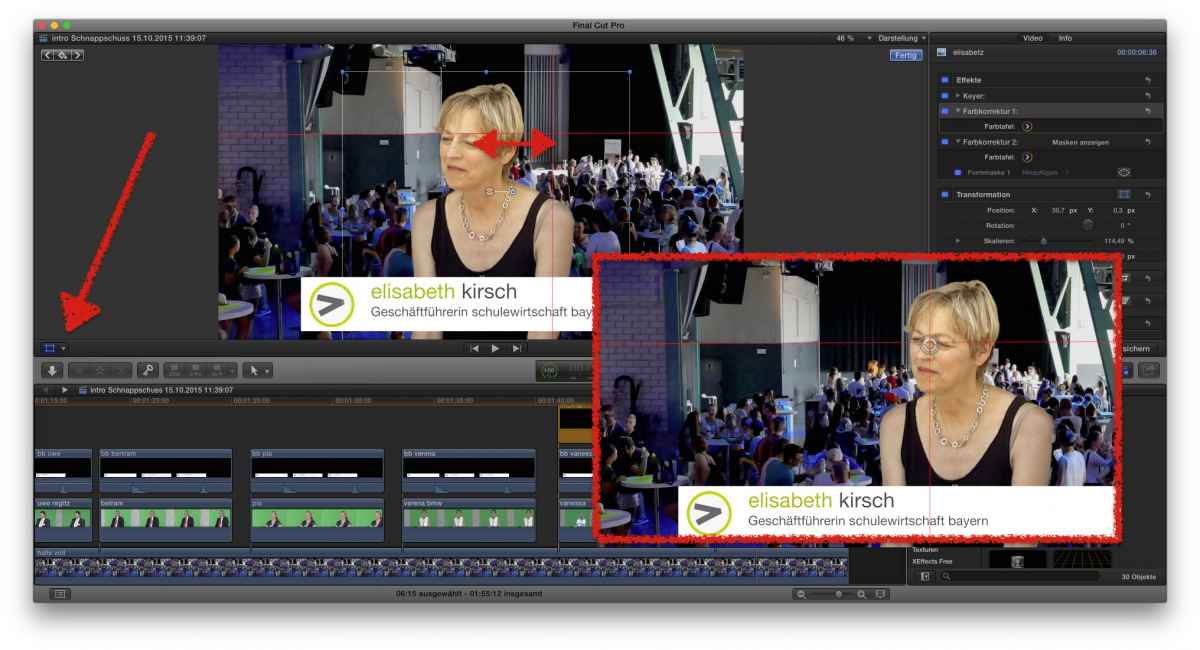
That's all, quick'n dirty.
When dome, erase generator from project
Usual addendum: feel free to modify, post your enhancements here
luckily we did greenscreen, so re-framing is an option - but how much we have to move the clips?
I quickly built a ruler generator:
very simple:
drag it from the Generator tab over your clip(s)
a vertical and a horizontal hair-line appear
for diff. backgrounds, I added a menu, 3 colors, red, white, black
in my case, I set with the OSC the lines, as reference, on eyes and nose of Vanessa
Elisabeth obviously is a bit 'off': using the Transformation tool, I set her in the same place.
That's all, quick'n dirty.
When dome, erase generator from project
Usual addendum: feel free to modify, post your enhancements here
Last edit: 18 Oct 2015 10:19 by Karsten Schlüter.
Please Log in to join the conversation.


