


- Posts: 21
- Thank you received: 0
3 Post Moderation Rule for New Boarders (25 Jan 2021)
New boarders will have their posts moderated - Don't worry if you cannot see your post immediately.
BACKGROUND RENDERING
09 Dec 2013 16:54 #35410
by NEMCtv6
BACKGROUND RENDERING was created by NEMCtv6
Hello I just bought a Mbp retina 16gb ram 4core and 2.7ghz.
I imported about 2hours of avchd original footage from a hxrnx30 cam and added a title to the front and back
I'm trying to export original footage (avchd) from fcpx.
When exporting it will start the process and run up to about 11% then stop. I also tried to export using DVD and the same happened…..I also deleted the rendered files….
(just a guess) Could it be because the screensaver (sign in screen) kicks in and stops the processing?
If I keep the laptop active before it goes to the sign in screen, the percentage will increase. (doesn't seem practical)
Need help I left this to export over night and it only reached 11%
Bill
,
I imported about 2hours of avchd original footage from a hxrnx30 cam and added a title to the front and back
I'm trying to export original footage (avchd) from fcpx.
When exporting it will start the process and run up to about 11% then stop. I also tried to export using DVD and the same happened…..I also deleted the rendered files….
(just a guess) Could it be because the screensaver (sign in screen) kicks in and stops the processing?
If I keep the laptop active before it goes to the sign in screen, the percentage will increase. (doesn't seem practical)
Need help I left this to export over night and it only reached 11%
Bill
,
Please Log in to join the conversation.
- Tom Wolsky
-

- Offline
- Moderator
-

09 Dec 2013 17:02 #35412
by Tom Wolsky
Replied by Tom Wolsky on topic BACKGROUND RENDERING
What software and OS versions?
Please Log in to join the conversation.

09 Dec 2013 17:25 #35413
by timfo
Replied by timfo on topic BACKGROUND RENDERING
Similar set of circumstances occurred with me.
If you're on Mavericks, go to your Applications folder, right click on Final Cut (after closing the program), and click Get Info. Then check the box next to "Prevent App Nap".
If you're on Mavericks, go to your Applications folder, right click on Final Cut (after closing the program), and click Get Info. Then check the box next to "Prevent App Nap".
Please Log in to join the conversation.


11 Dec 2013 03:51 #35627
by dgwvideo
Creating history....one edit at a time !
Replied by dgwvideo on topic BACKGROUND RENDERING
The specs on the software and OS as Tom suggests would be helpful. But since you keep your system alive and get further along, why not try disabling your screen saver and setting your system preferences to NEVER turn off the hard drive, as well as ensuring App Nap is off as suggested by timfo. See if you get through a complete export.
Creating history....one edit at a time !
Please Log in to join the conversation.
13 Dec 2013 14:10 #35803
by NEMCtv6
Replied by NEMCtv6 on topic BACKGROUND RENDERING
sorry this is so late of a reply
Mountain Lion os 10.8.5
FCPX 10.0.9
I also deleted the Pref files…(did not help).
Mountain Lion os 10.8.5
FCPX 10.0.9
I also deleted the Pref files…(did not help).
Please Log in to join the conversation.
13 Dec 2013 14:46 #35809
by NEMCtv6
Replied by NEMCtv6 on topic BACKGROUND RENDERING
got thru a share..but took forEVER…started export (80 minutes of footage) at 8pm ended around 2:30am
Seems like this MCPr with 2.7ghz and 16gb ram would be speedy.
noticed FCPX was using just over 1gb of ram and just over 50% of the processor.
Ran the activity monitor while processing…here are the results.
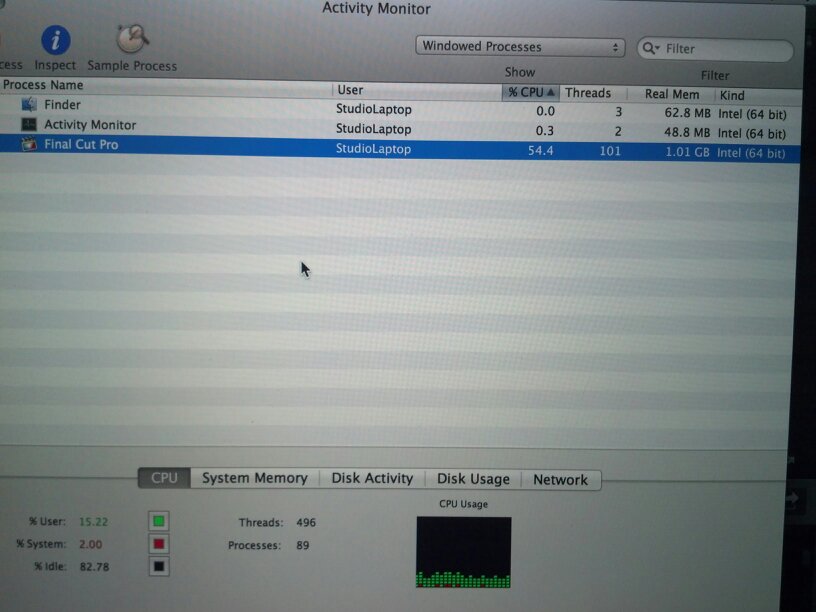
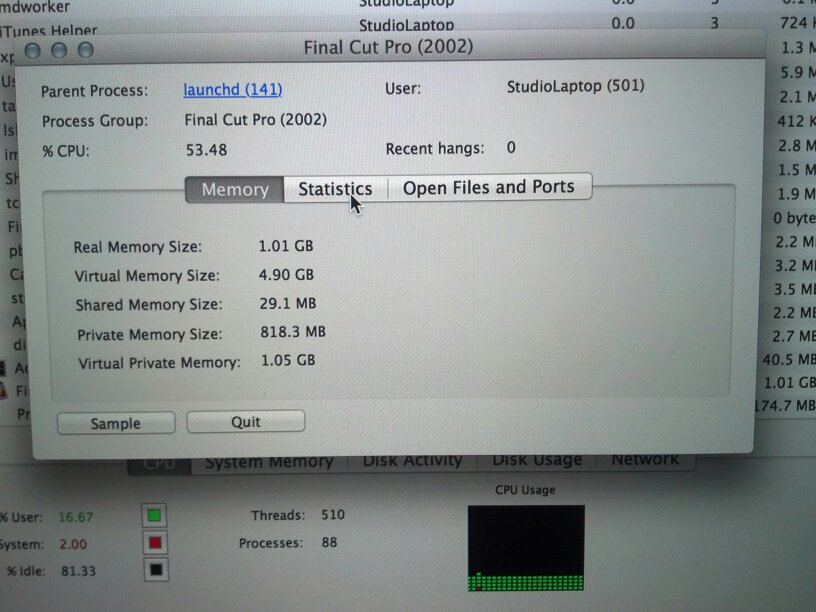
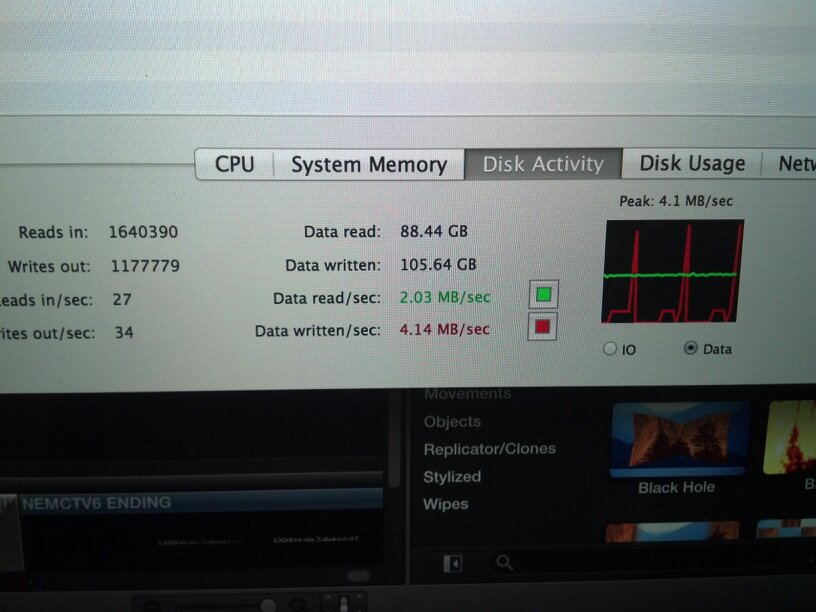
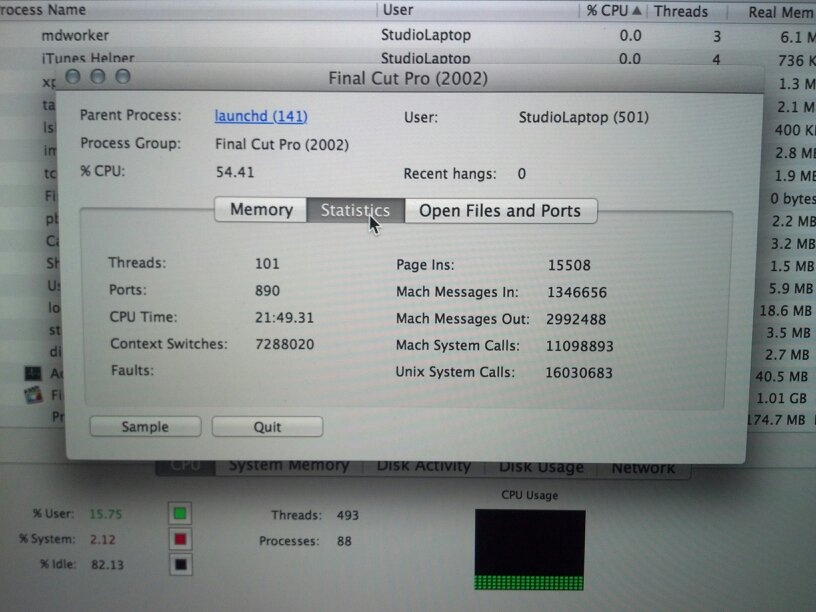
Seems like this MCPr with 2.7ghz and 16gb ram would be speedy.
noticed FCPX was using just over 1gb of ram and just over 50% of the processor.
Ran the activity monitor while processing…here are the results.
Please Log in to join the conversation.
13 Dec 2013 14:55 #35814
by NEMCtv6
Replied by NEMCtv6 on topic BACKGROUND RENDERING
notice the cpu time is 21 minutes and when I checked the render it was @ 11%….mind you when I started the share it ramped up to 10% within a few seconds then slows to a crawl.
Please Log in to join the conversation.

14 Dec 2013 06:54 #35892
by marchyman
Replied by marchyman on topic BACKGROUND RENDERING
I think rendering uses a lot of GPU these days. What was your GPU was doing. Could it have been at 100%?
Please Log in to join the conversation.
15 Dec 2013 00:14 #35921
by Julian
Replied by Julian on topic BACKGROUND RENDERING
DVD's seem to take a long time. It's slow to write to them and it's also slow to compress the media to the format. If I'm correct, the RAM in your system isn't really doing much for sharing, it's mostly for loading clips and playback. When exporting it's going to rely heavily on the GPU and then some on the CPU, so if your GPU is less than 1GB of VRAM then it's gonna be slow.
What resolution are you exporting to? Master file? or something compressed?
What resolution are you exporting to? Master file? or something compressed?
Please Log in to join the conversation.
