


- Posts: 3790
- Thank you received: 718
3 Post Moderation Rule for New Boarders (25 Jan 2021)
New boarders will have their posts moderated - Don't worry if you cannot see your post immediately.
Q-KIN - free gradient filters for FCPX
- Karsten Schlüter
-
 Topic Author
- Offline
- Moderator
-

Less
More
08 May 2017 10:00 - 08 May 2017 10:04 #87889
by Karsten Schlüter
Q-KIN - free gradient filters for FCPX was created by Karsten Schlüter
// dl, unzip and drag into ~/Movies/Motion Templates/Effects //
Yea, I know, I know - all that can be accomplished with the existing Colour-Correction Tools of FCPX, there’s no need for a plug-in.
But…
This is a ‘left-over’, I did it for a friend, coming from ye’ ol’ goo’ analogue days… And he’s more comfortable with an interface he knows…
So, after dragging Q-KIN onto your clip, you’ll notice an OnScreenController.
With that, you can position and ‘turn’ the gradient filter.
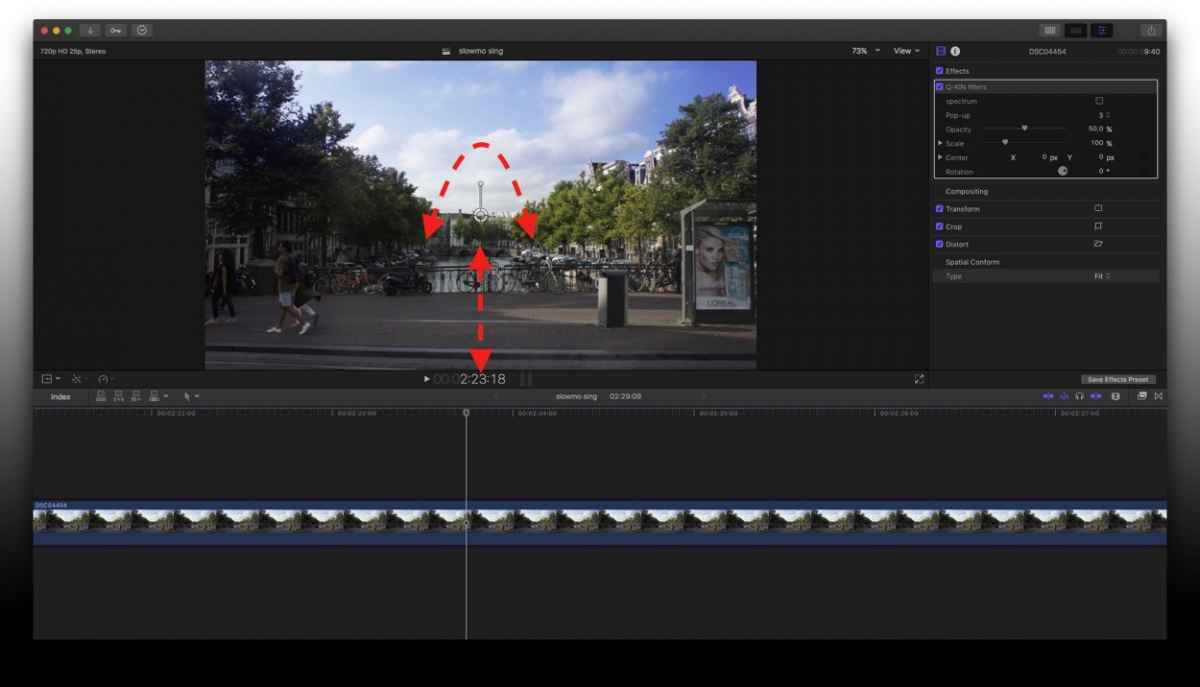
Checking the ‘spectrum’ box in the Inspector, pops-up a tiny graphic, telling you what colour has what number.
(Don’t forget to un-check before export/share!)

If the filter is too small, just scale it.

Finally, you can keyframe and ‘stack’ it, in case you need several gradients.

Enjoy Movie Making!
Yea, I know, I know - all that can be accomplished with the existing Colour-Correction Tools of FCPX, there’s no need for a plug-in.
But…
This is a ‘left-over’, I did it for a friend, coming from ye’ ol’ goo’ analogue days… And he’s more comfortable with an interface he knows…
So, after dragging Q-KIN onto your clip, you’ll notice an OnScreenController.
With that, you can position and ‘turn’ the gradient filter.
Checking the ‘spectrum’ box in the Inspector, pops-up a tiny graphic, telling you what colour has what number.
(Don’t forget to un-check before export/share!)
If the filter is too small, just scale it.
Finally, you can keyframe and ‘stack’ it, in case you need several gradients.
Enjoy Movie Making!
Last edit: 08 May 2017 10:04 by Karsten Schlüter.
Please Log in to join the conversation.
