


- Posts: 3790
- Thank you received: 718
3 Post Moderation Rule for New Boarders (25 Jan 2021)
New boarders will have their posts moderated - Don't worry if you cannot see your post immediately.
High Key effect
- Karsten Schlüter
-
 Topic Author
- Offline
- Moderator
-

Less
More
17 Jun 2015 19:13 - 17 Jun 2015 19:14 #65588
by Karsten Schlüter
High Key effect was created by Karsten Schlüter
Lately, a friend, enthusiastic hobbyist like me, but for photography, asked me “Can you use Photoshop filters or actions in video too?”
hm, well, technically, not really, but…
His latest faible is “High Key” … you’ve seen those pics, a pale person in a white room…
When you search for ‘High Key’ you get offered hundreds of tutorials, demoing all the same technique! Me too lazy to research who should be honored as ‘inventor’, it’s build three layers of your original pic, apply diff. filters and compositing settings, done.
Time to launch Motion, and what a suprise, you can re-enact that effect.-
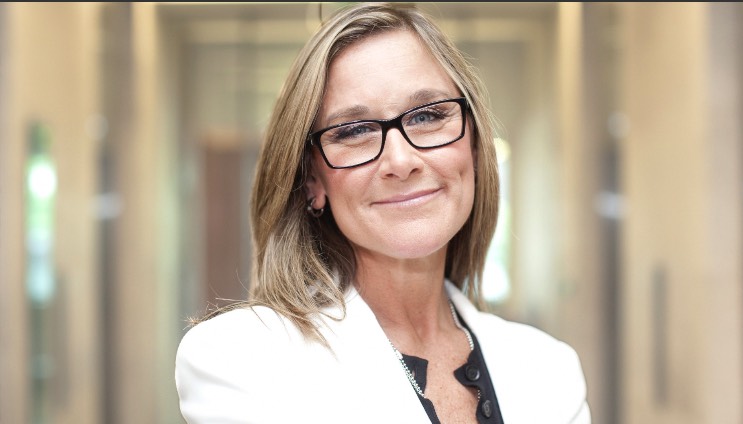
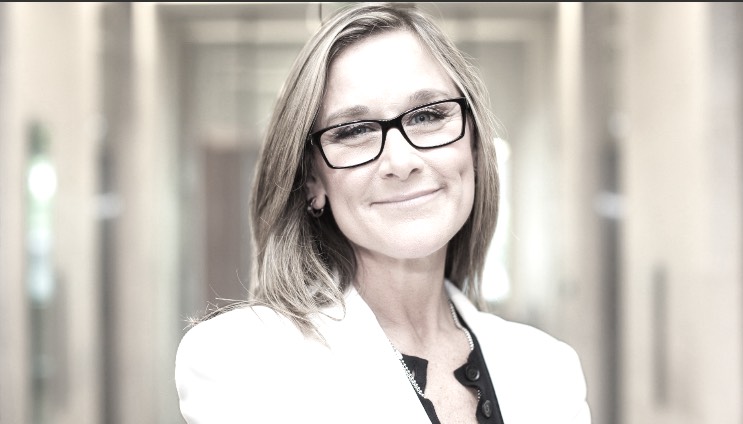
I added/published three sliders: the first ‘Saturation’ sets, to your surprise, the <cough> saturation. I’ve limited the rig, ‘cause you come soon in an ugly terrain… very psychedlic colors.
The two other sliders could be called Paleness and Brightness, haven’t found a better word - just try it!
‘Cause my friend is shy to publish his work (or anything) on the internet, I thought Mrs Ahrendts (such a German name! Roots?) gives a good motif; the ‘Original’ is not the real original, I brighten the background, to give some impression of “High Key”.
And: you come soon in >120% luma,clippish super-white;use the applied ‘Broadcast Save’-filter, set your standards and use the mix-slider and the Scopes, please.
Aaand, finally, I added a Tint, color is your choice…. HighKey plus color… I like this combo.
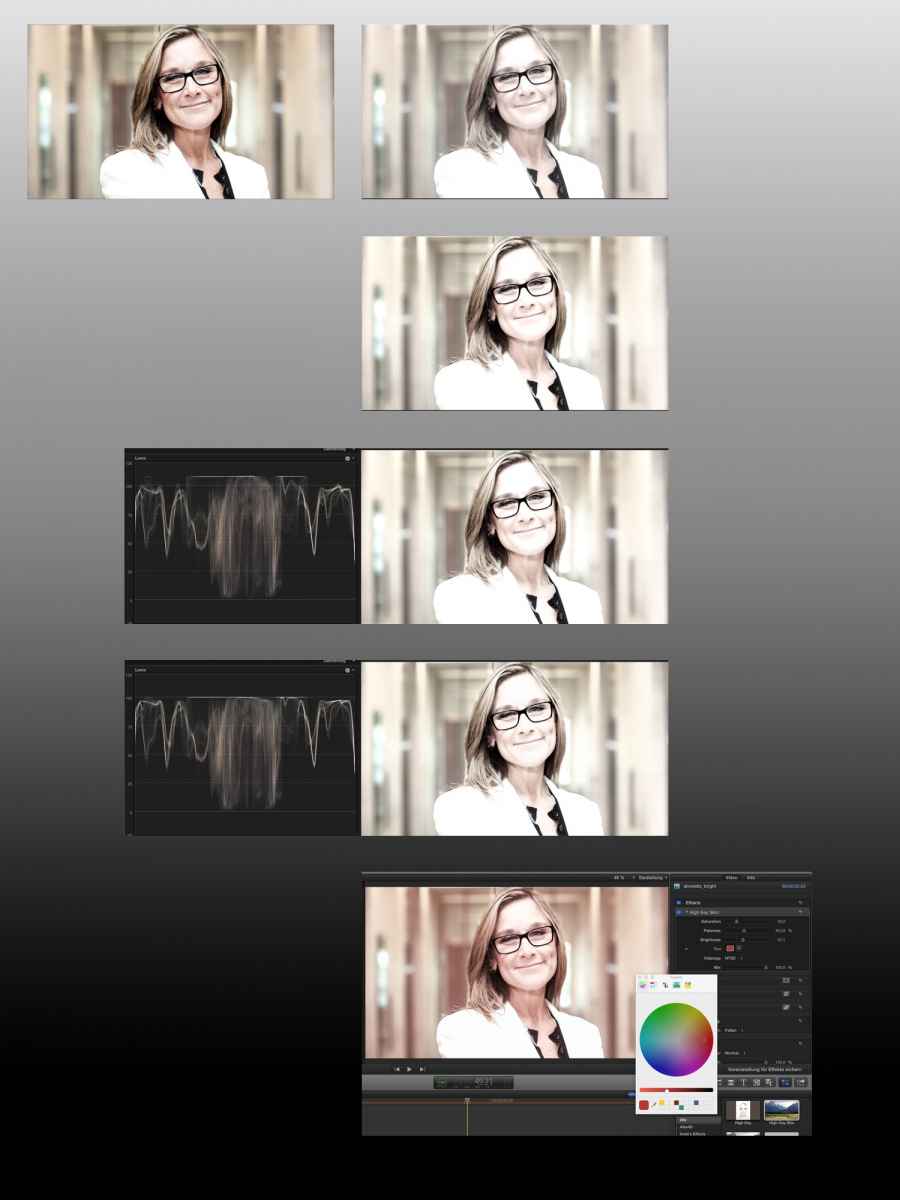
Fell free to use and improve my plug-in, post here your suggestions/enhancements.
Oh, a few of you will ask….
“A plug-in NOT demoed with football? Who are you, and what happend to Karsten??!”
Believe it or not; sometimes I record other things than just soccer…
hm, well, technically, not really, but…
His latest faible is “High Key” … you’ve seen those pics, a pale person in a white room…
When you search for ‘High Key’ you get offered hundreds of tutorials, demoing all the same technique! Me too lazy to research who should be honored as ‘inventor’, it’s build three layers of your original pic, apply diff. filters and compositing settings, done.
Time to launch Motion, and what a suprise, you can re-enact that effect.-
I added/published three sliders: the first ‘Saturation’ sets, to your surprise, the <cough> saturation. I’ve limited the rig, ‘cause you come soon in an ugly terrain… very psychedlic colors.
The two other sliders could be called Paleness and Brightness, haven’t found a better word - just try it!
‘Cause my friend is shy to publish his work (or anything) on the internet, I thought Mrs Ahrendts (such a German name! Roots?) gives a good motif; the ‘Original’ is not the real original, I brighten the background, to give some impression of “High Key”.
And: you come soon in >120% luma,clippish super-white;use the applied ‘Broadcast Save’-filter, set your standards and use the mix-slider and the Scopes, please.
Aaand, finally, I added a Tint, color is your choice…. HighKey plus color… I like this combo.
Fell free to use and improve my plug-in, post here your suggestions/enhancements.
Oh, a few of you will ask….
“A plug-in NOT demoed with football? Who are you, and what happend to Karsten??!”
Believe it or not; sometimes I record other things than just soccer…
Last edit: 17 Jun 2015 19:14 by Karsten Schlüter.
Please Log in to join the conversation.


17 Jun 2015 19:41 #65594
by BenB
Replied by BenB on topic High Key effect
This could also be done directly in FCPX with the built-in color board, or even better with the curves in Color Finale. But a very interesting Motion template to have! Very well done!
Please Log in to join the conversation.
- Karsten Schlüter
-
Topic Author
- Offline
- Moderator
-
Less
More
- Posts: 3790
- Thank you received: 718
18 Jun 2015 08:22 #65618
by Karsten Schlüter
Probably, but the advices I found on the web are all based on 'stack three more layers onto the pic' .... and that 'clutters' my timeline, I get iffy with too much 'tracks' ... :lol:
I like visual guidance, so my 'source' was this video
vimeo.com/47918354
Anyhow, glad you like it ...
Replied by Karsten Schlüter on topic High Key effect
BenB wrote: This could also be done directly in FCPX with the built-in color board, ..
Probably, but the advices I found on the web are all based on 'stack three more layers onto the pic' .... and that 'clutters' my timeline, I get iffy with too much 'tracks' ... :lol:
I like visual guidance, so my 'source' was this video
vimeo.com/47918354
Anyhow, glad you like it ...
Please Log in to join the conversation.


19 Jun 2015 02:21 #65653
by dgwvideo
Creating history....one edit at a time !
Replied by dgwvideo on topic High Key effect
KarstenGlobal FX strikes again  . Added the international tag for career.
. Added the international tag for career. Creating history....one edit at a time !
Please Log in to join the conversation.
- Karsten Schlüter
-
Topic Author
- Offline
- Moderator
-
Less
More
- Posts: 3790
- Thank you received: 718
19 Jun 2015 05:50 #65660
by Karsten Schlüter
LOL; great, thanks for the fowers!! :lol:
Replied by Karsten Schlüter on topic High Key effect
dgwvideo wrote: KarstenGlobal FX strikes again
LOL; great, thanks for the fowers!! :lol:
Please Log in to join the conversation.
