


3 Post Moderation Rule for New Boarders (25 Jan 2021)
New boarders will have their posts moderated - Don't worry if you cannot see your post immediately.
How to add an effect to all photos at once on the timeline
- djnav4
-
 Topic Author
- Offline
- Junior Member
-

- Im still the same cool dude but much more mature now since I've been married for the last 10 years. Im a man with goals that will move me forward. No time for child hood games . Life is short and I want to enjoy what I have. I have a wonderful family and
Less
More
04 Dec 2015 11:51 #71161
by djnav4
How to add an effect to all photos at once on the timeline was created by djnav4
Im adding over 50 Pictures and i don't want to create an effect for each picture separately so is there a way to place an effect on multiple pictures? :dry:
Please Log in to join the conversation.

04 Dec 2015 14:14 #71162
by lichinho
Replied by lichinho on topic How to add an effect to all photos at once on the timeline
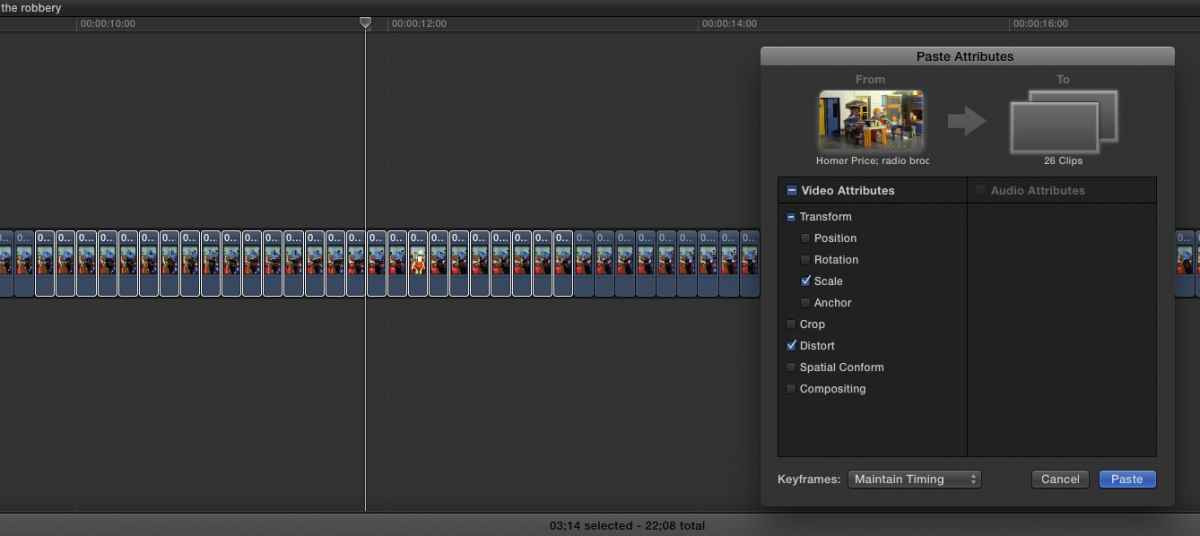
Yes. Add the effect to one of them, set the parameters the way you want. Then select that clip in the timeline, Command-C to copy; select everything, Command-Shift-V to "Paste Attributes", select the effect(s) you want to paste.
Please Log in to join the conversation.

04 Dec 2015 14:16 - 04 Dec 2015 14:17 #71163
by alex4D
Replied by alex4D on topic How to add an effect to all photos at once on the timeline
You can use an adjustment layer. All effects applied to this kind of title are applied to all clips below it.
Download my free one:
blog.alex4d.com/2012/03/19/adjustment-layer-fcpx-effect/
Alternatively, you can copy one clip with the effect you want, then apply a choice of it's attributes - such as its effect(s) to other clips using the "Edit:Paste Attributes"
The catch is that if you want to change the settings of the effects you've pasted, it is more fiddly. If you use an adjustment layer, you only have to change the settings on the effect you've applied to it once.
@Alex4D
Download my free one:
blog.alex4d.com/2012/03/19/adjustment-layer-fcpx-effect/
Alternatively, you can copy one clip with the effect you want, then apply a choice of it's attributes - such as its effect(s) to other clips using the "Edit:Paste Attributes"
The catch is that if you want to change the settings of the effects you've pasted, it is more fiddly. If you use an adjustment layer, you only have to change the settings on the effect you've applied to it once.
@Alex4D
Last edit: 04 Dec 2015 14:17 by alex4D.
Please Log in to join the conversation.
- MarkNelsonMovies
-

- Offline
- Elite Member
-

Less
More
- Posts: 256
- Thank you received: 48
04 Dec 2015 15:52 #71169
by MarkNelsonMovies
Replied by MarkNelsonMovies on topic How to add an effect to all photos at once on the timeline
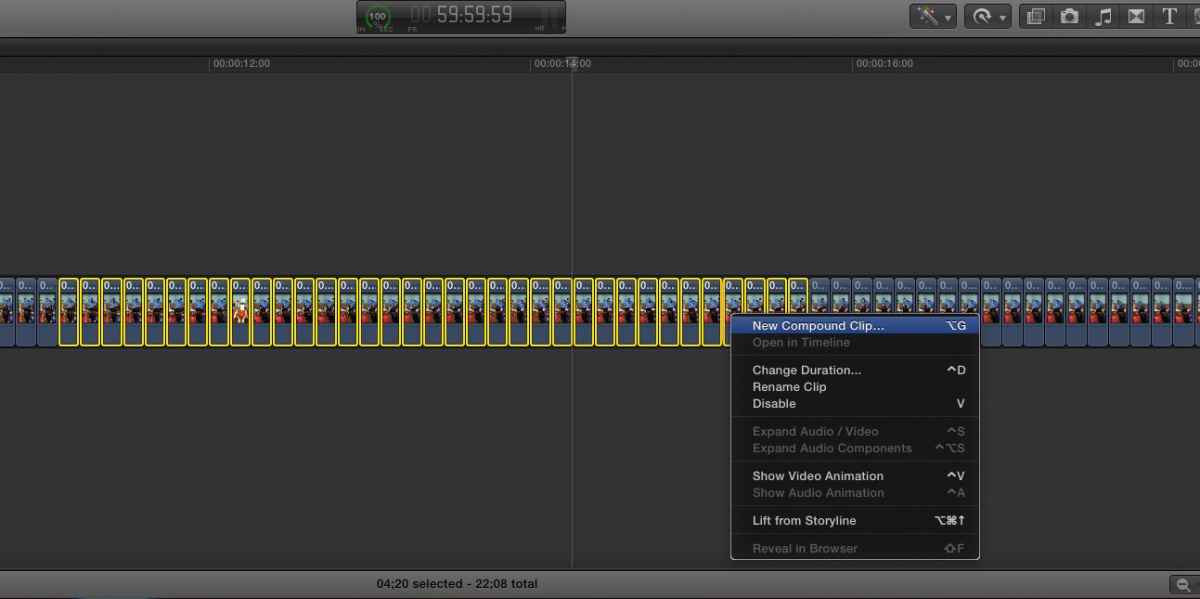
If the photos are adjacent to each other you could also make a compound clip and apply the effects to that
Please Log in to join the conversation.

04 Dec 2015 19:47 #71174
by BenB
Replied by BenB on topic How to add an effect to all photos at once on the timeline
Absolutely not, can't be done, no way...
Please Log in to join the conversation.
07 Dec 2015 21:42 #71229
by djnav4
Replied by djnav4 on topic How to add an effect to all photos at once on the timeline
Sorry I forgot to add that Im using FCPX and I tried the way you said but no effects was applied can you tell me a quick way to add these photos thanks
Please Log in to join the conversation.
07 Dec 2015 21:46 #71230
by djnav4
Replied by djnav4 on topic How to add an effect to all photos at once on the timeline
Hey There
Are you sure theres no way to add a series of photos using FCPX with out editing everyone at a time its got to be a way I have to get this done this week
Thanks!
Are you sure theres no way to add a series of photos using FCPX with out editing everyone at a time its got to be a way I have to get this done this week
Thanks!
Please Log in to join the conversation.
07 Dec 2015 21:48 #71231
by djnav4
Replied by djnav4 on topic How to add an effect to all photos at once on the timeline
Compound Clip ? this will allow me to add the photos and the effects from another preset clip? with out creating an effect on each clip in FCPX?
Please Log in to join the conversation.
08 Dec 2015 13:51 #71250
by BenB
Replied by BenB on topic How to add an effect to all photos at once on the timeline
I was being sarcastic...
Please Log in to join the conversation.
- MarkNelsonMovies
-
- Offline
- Elite Member
-
Less
More
- Posts: 256
- Thank you received: 48
08 Dec 2015 23:24 - 08 Dec 2015 23:25 #71273
by MarkNelsonMovies
Replied by MarkNelsonMovies on topic How to add an effect to all photos at once on the timeline
Three ways of doing things, with all photos in the timeline, apply all your effects/setting to the first clip, select it and 'copy' -(Command-C) then select the rest of the clips and hit Paste Attributes (Shift-Command-V) then select the effects you want copied and hit the paste button.
Or select all the photos in the timeline, create a compound clip (Option-G) and then apply the effects to that clip.
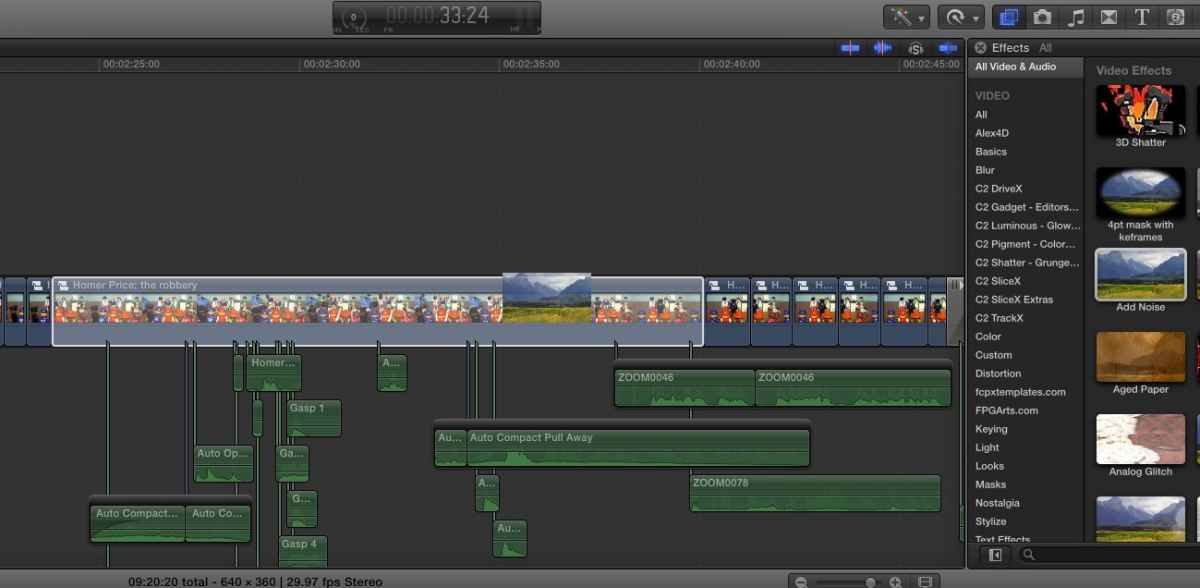
or download and install an adjustment layer as mentioned in an earlier post.
Hope this Helps,
-Mark
Or select all the photos in the timeline, create a compound clip (Option-G) and then apply the effects to that clip.
or download and install an adjustment layer as mentioned in an earlier post.
Hope this Helps,
-Mark
Last edit: 08 Dec 2015 23:25 by MarkNelsonMovies. Reason: add information
Please Log in to join the conversation.

29 Dec 2015 17:30 #71813
by MikeM
Replied by MikeM on topic How to add an effect to all photos at once on the timeline
This is handy, thanks for this. I was using a few photos the other day with effects and was noting down the settings and applying each one at a time.
Please Log in to join the conversation.
03 Jan 2016 15:19 #71905
by djnav4
Replied by djnav4 on topic How to add an effect to all photos at once on the timeline
Thanks this worked flawlessly !
Please Log in to join the conversation.
