


- Posts: 1
- Thank you received: 0
3 Post Moderation Rule for New Boarders (25 Jan 2021)
New boarders will have their posts moderated - Don't worry if you cannot see your post immediately.
MULTI video track mov shows only first track
- francescoBLT
-
 Topic Author
- Offline
- New Member
-

Less
More
28 Jul 2014 08:14 #50571
by francescoBLT
MULTI video track mov shows only first track was created by francescoBLT
Hi to all
I hope this is the right place where to post this question.
As in the subject I have a mov file with two video tracks and 8 audio channels
(grouped in two tracks of 4 channels each one).
While the audio tracks are correctly displayed when I import the mov file,
I saw only first video track. There is a special settings to select in order
to see both video tracks ? neither in preview nor in timeline second track
is displayed.
Regards
I hope this is the right place where to post this question.
As in the subject I have a mov file with two video tracks and 8 audio channels
(grouped in two tracks of 4 channels each one).
While the audio tracks are correctly displayed when I import the mov file,
I saw only first video track. There is a special settings to select in order
to see both video tracks ? neither in preview nor in timeline second track
is displayed.
Regards
Please Log in to join the conversation.
- ronny courtens
-

- Offline
- Moderator
-

Less
More
- Posts: 4455
- Thank you received: 962
28 Jul 2014 19:40 #50596
by ronny courtens
Replied by ronny courtens on topic MULTI video track mov shows only first track
Hi Francesco,
I noticed this post by accident. You will get faster answers to this kind of questions when you post in the FCP X part of the forum
FCP X does not support QT movies with multiple video tracks. In fact no NLE does this. So you first will have to extract the video layers from the QT movie, and you will need QT7 PRO to do this, then you will be able to import the two video layers in FCP X.
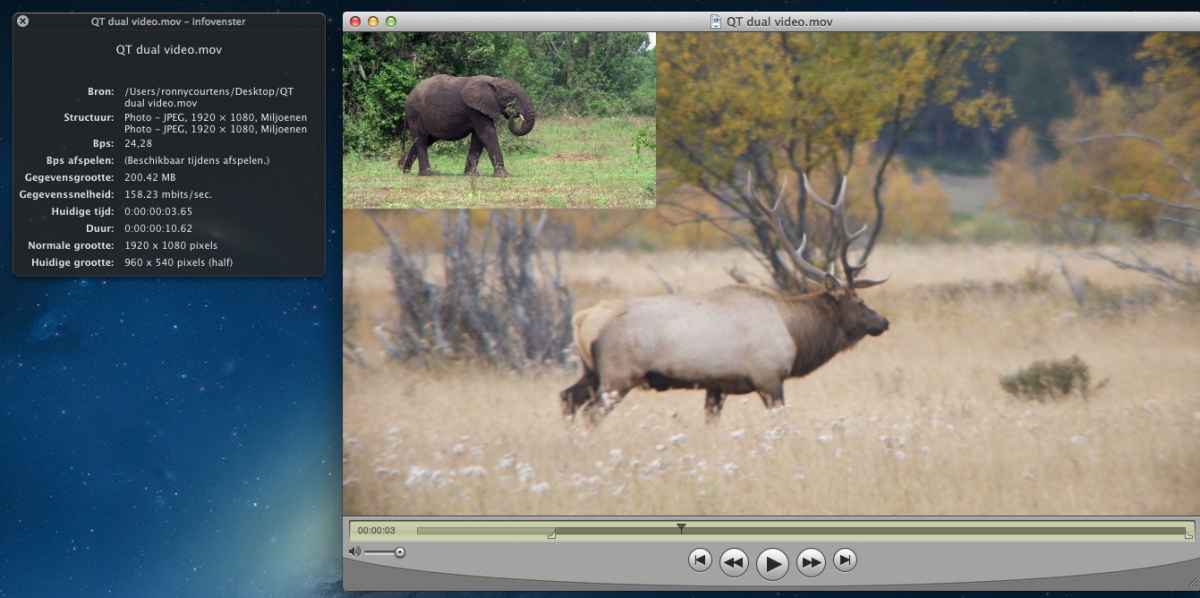
Here you see a QT movie with two video tracks, track 2 has been added as a picture in picture over track 1:
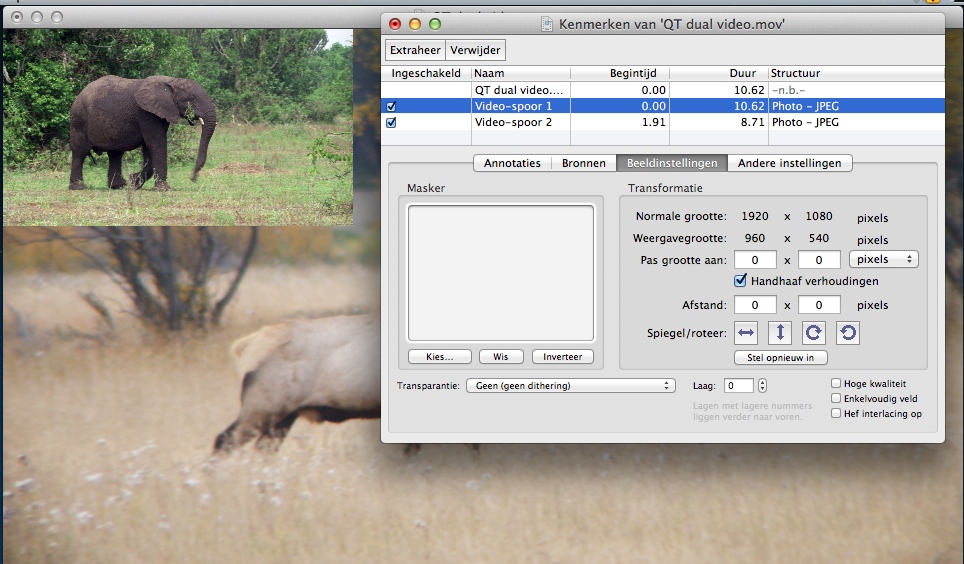
Open the QT movie in the QT7 Pro player and press CMD+J to show the properties of the movie:
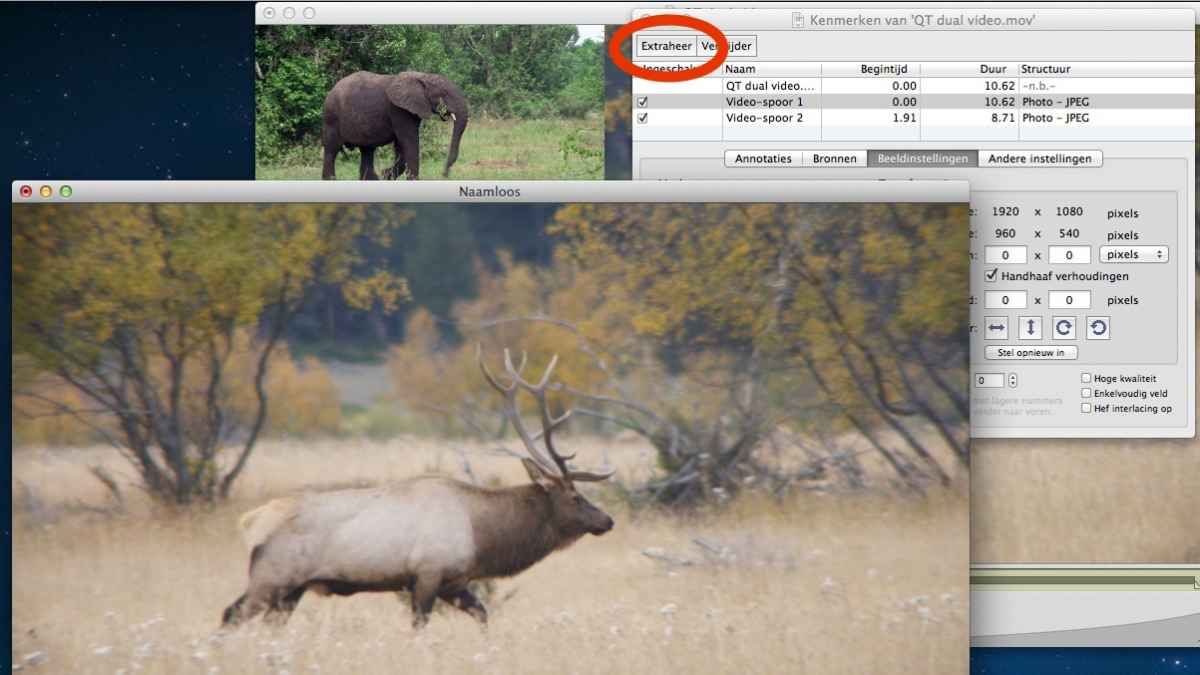
Select the first video layer and press the Extract button to extract this video layer. The first video track will open in a new QT player window, named "Untitled":
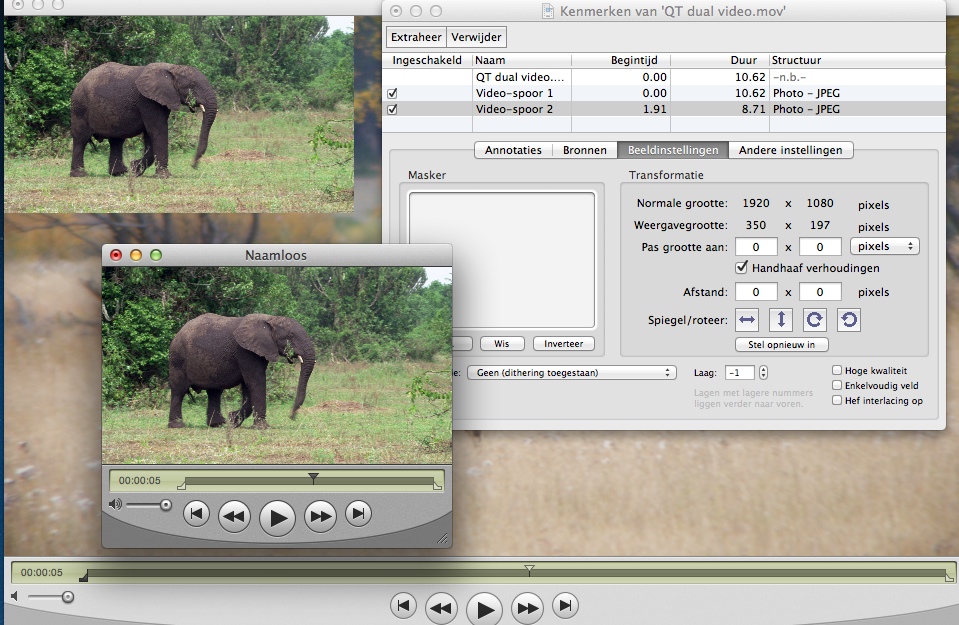
Save the video (name it "Layer 1"), then press CMD+J again to re-open the properties window. In that window select the second video layer and press the Extract button to extract this video layer. The second video track will open in a new QT player window:
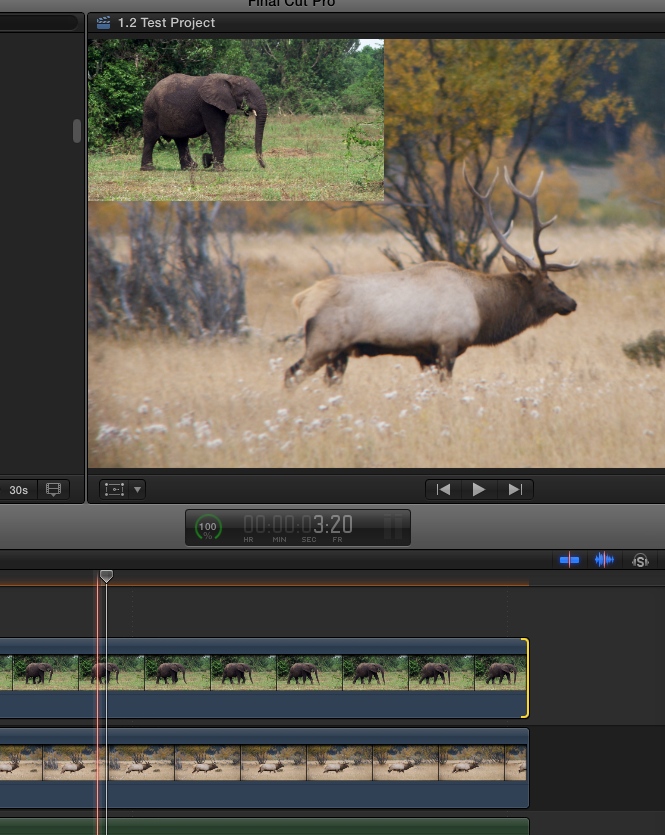
Save the second video track as "Layer 2", then import both videos in FCP X and in the timeline place them above the audio tracks you already had from the original video:
Of course you also could extract video track 1 with its corresponding audio, then extract video track 2 with its corresponding audio and just import the two extracted movies together with their audio in FCP X.
- Ronny
I noticed this post by accident. You will get faster answers to this kind of questions when you post in the FCP X part of the forum
FCP X does not support QT movies with multiple video tracks. In fact no NLE does this. So you first will have to extract the video layers from the QT movie, and you will need QT7 PRO to do this, then you will be able to import the two video layers in FCP X.
Here you see a QT movie with two video tracks, track 2 has been added as a picture in picture over track 1:
Open the QT movie in the QT7 Pro player and press CMD+J to show the properties of the movie:
Select the first video layer and press the Extract button to extract this video layer. The first video track will open in a new QT player window, named "Untitled":
Save the video (name it "Layer 1"), then press CMD+J again to re-open the properties window. In that window select the second video layer and press the Extract button to extract this video layer. The second video track will open in a new QT player window:
Save the second video track as "Layer 2", then import both videos in FCP X and in the timeline place them above the audio tracks you already had from the original video:
Of course you also could extract video track 1 with its corresponding audio, then extract video track 2 with its corresponding audio and just import the two extracted movies together with their audio in FCP X.
- Ronny
Please Log in to join the conversation.
