


- Posts: 10
- Thank you received: 0
3 Post Moderation Rule for New Boarders (25 Jan 2021)
New boarders will have their posts moderated - Don't worry if you cannot see your post immediately.
Picture in Picture effect
- estoyaqui54
-
 Topic Author
- Offline
- New Member
-

Less
More
24 Jun 2013 02:03 #27643
by estoyaqui54
Picture in Picture effect was created by estoyaqui54
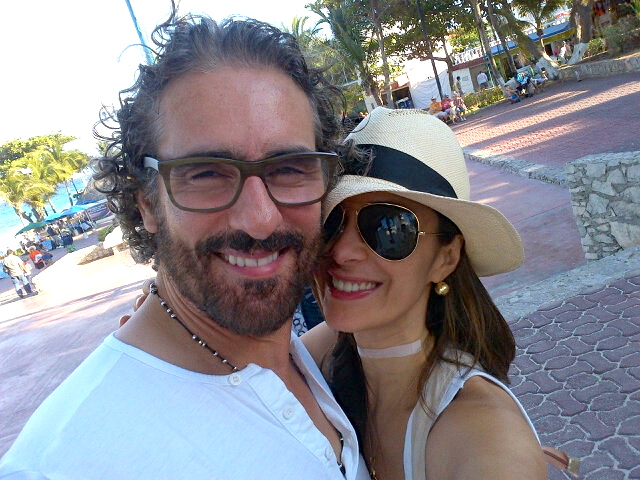
Im fairly new to Final Cut Pro X...Im trying to do a Picture in Picture effect. For the picture inside the picture, how do you remove unwanted background. I provided a photo below. I tried using the crop tool, but it only makes my photo smaller. This is the effect/look I am trying to achieve... Any links or infor would be appreciated... Thanks.
Please Log in to join the conversation.
- mrholesome
-
- Offline
- New Member
-
Less
More
- Posts: 8
- Thank you received: 0
24 Jun 2013 04:08 #27647
by mrholesome
Replied by mrholesome on topic Picture in Picture effect
What you are looking to use is a MASK that hides the unwanted area. Since you are using a static image you may also find a photo editor to be quicker than learning a mask tool, YMMV. Erasing the unwanted parts of the image and saving it as a .PNG file you can import it into FCPX and the erased areas will remain transparent. Set the photo ABOVE the timeline and the timeline video will only show through those erased areas.
Please Log in to join the conversation.
- estoyaqui54
-
Topic Author
- Offline
- New Member
-
Less
More
- Posts: 10
- Thank you received: 0
24 Jun 2013 10:39 #27655
by estoyaqui54
Replied by estoyaqui54 on topic Picture in Picture effect
Thank you for this infor....! What is YMMV...? Is this a photo editing program....? Is there a link?
Please Log in to join the conversation.

24 Jun 2013 12:24 #27657
by ddixon
Replied by ddixon on topic Picture in Picture effect
It's just a shortcut (acronym) for Your Mileage May Vary. Depending on your expertise with Photoshop or another image editor, if you are using a still photo it's probably easier to do the masking there instead of in a video editor.
If you have control over what's being filmed, another approach would be to do this with green screen - that would allow for doing this with video as well as with a still photo. The FCPX keyer is a real strong point of the software.
If you have control over what's being filmed, another approach would be to do this with green screen - that would allow for doing this with video as well as with a still photo. The FCPX keyer is a real strong point of the software.
Please Log in to join the conversation.
- estoyaqui54
-
Topic Author
- Offline
- New Member
-
Less
More
- Posts: 10
- Thank you received: 0
25 Jun 2013 01:43 #27683
by estoyaqui54
Replied by estoyaqui54 on topic Picture in Picture effect
Thank you....I will try the mask in Final Cut!!
Please Log in to join the conversation.

