


- Posts: 929
- Thank you received: 131
3 Post Moderation Rule for New Boarders (25 Jan 2021)
New boarders will have their posts moderated - Don't worry if you cannot see your post immediately.
QuickTip - Rolling audio only edits
29 Sep 2011 21:35 - 29 Sep 2011 22:28 #1447
by tpayton
QuickTip - Rolling audio only edits was created by tpayton
This was somewhat broken in FCP X 10.0.0 but fixed in 10.0.1 so it is much more feasible.
So expand your audio. The easiest way to do it is View > Expand Audio/Video > for All. Or just control-S one or many clips.
Select an edit point, and here it hit Backslash to select both the in and the out. Notice just the video portion is selected. You can then use the keyboard or mouse to roll the edit.
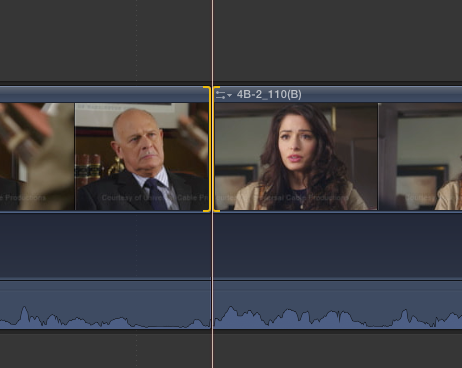
Then hit Shift-Backslash and now just the audio will be selected. Now to roll you can ONLY USE THE KEYBOARD. "," or "." Add Shift to make it move 10 frames at a time. Or you can enter a numeric value as usual.
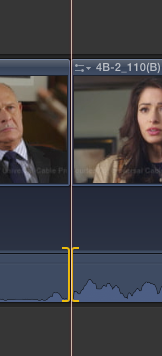
I wish I could do this on the last project I did that needed about a hundred J cuts.
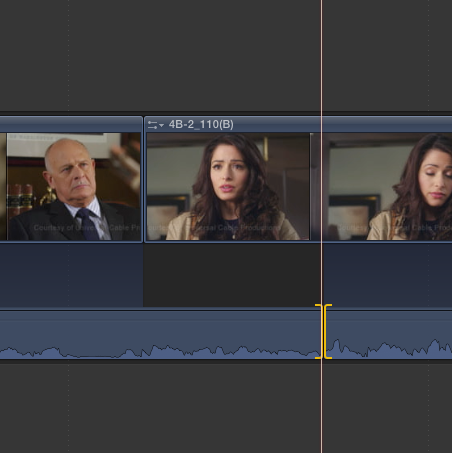
Enjoy!
BTW. This is footage from the Apple Pro Training Series: Final Cut Pro X book. I don't actually work on this show
So expand your audio. The easiest way to do it is View > Expand Audio/Video > for All. Or just control-S one or many clips.
Select an edit point, and here it hit Backslash to select both the in and the out. Notice just the video portion is selected. You can then use the keyboard or mouse to roll the edit.
Then hit Shift-Backslash and now just the audio will be selected. Now to roll you can ONLY USE THE KEYBOARD. "," or "." Add Shift to make it move 10 frames at a time. Or you can enter a numeric value as usual.
I wish I could do this on the last project I did that needed about a hundred J cuts.
Enjoy!
BTW. This is footage from the Apple Pro Training Series: Final Cut Pro X book. I don't actually work on this show
Last edit: 29 Sep 2011 22:28 by tpayton. Reason: correction
Please Log in to join the conversation.

29 Sep 2011 22:29 #1450
by tpayton
Replied by tpayton on topic Re: QuickTip - Rolling audio only edits
Thanks for the corrections. I made them to the first post.
So how are you using the precision editor for just audio? I didn't know that was possible. (!)
So how are you using the precision editor for just audio? I didn't know that was possible. (!)
Please Log in to join the conversation.
