


- Posts: 228
- Thank you received: 16
3 Post Moderation Rule for New Boarders (25 Jan 2021)
New boarders will have their posts moderated - Don't worry if you cannot see your post immediately.
Growth / Shrink moves in xy instead to grow
09 Sep 2016 21:49 #79796
by Schnurr
Growth / Shrink moves in xy instead to grow was created by Schnurr
Hi,
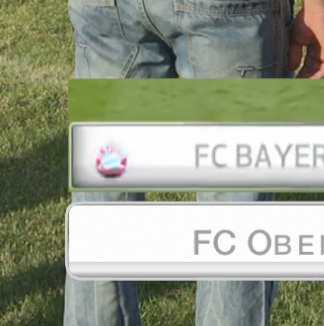
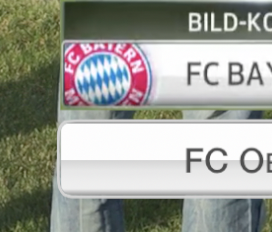
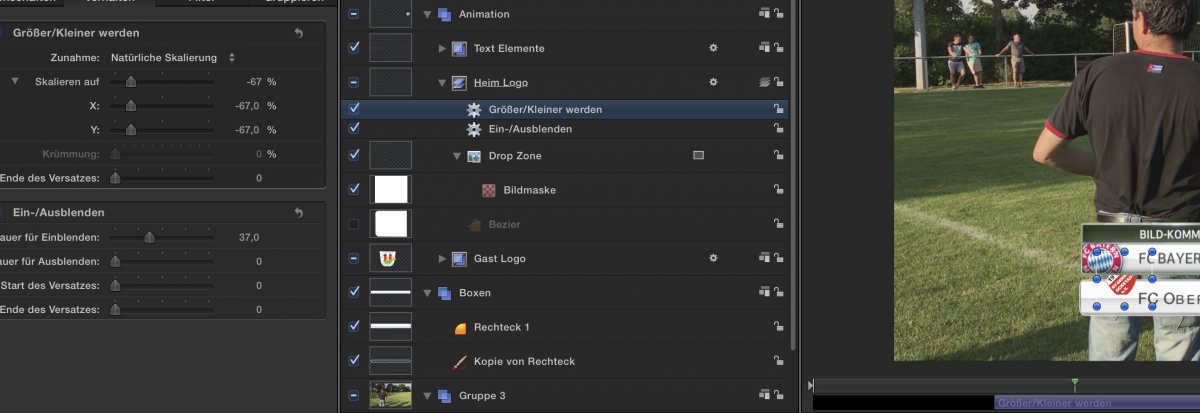
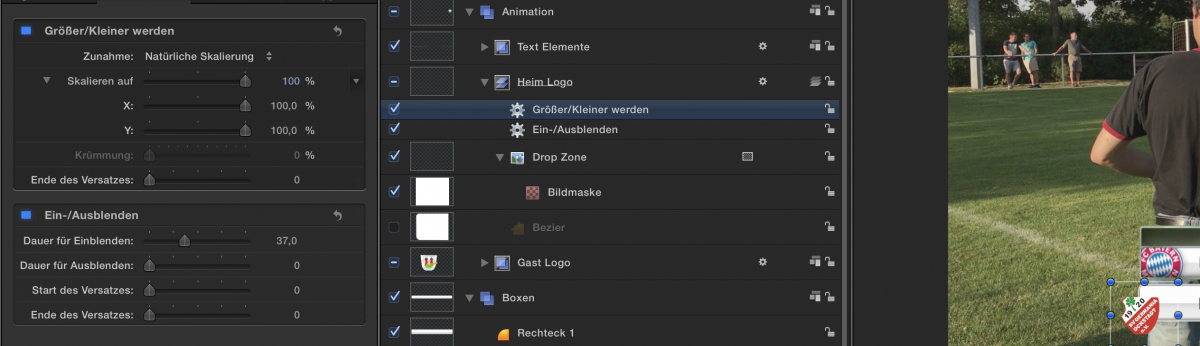
I want to basically grow & fade in an object (see attachments). Fade in works but I do have problems to understand how to realize the grow behavior while using behavior and grow/shrink. Instead of appearing from the background it moves on the x and y. I don't think that I need to work with camera and put the element in z space. I guess a easy question but don't find the answer so far in google / youtube.
What do I need to change? I tried converting the object in 3D but still doesn't work...
Tobias :blink:
I want to basically grow & fade in an object (see attachments). Fade in works but I do have problems to understand how to realize the grow behavior while using behavior and grow/shrink. Instead of appearing from the background it moves on the x and y. I don't think that I need to work with camera and put the element in z space. I guess a easy question but don't find the answer so far in google / youtube.
What do I need to change? I tried converting the object in 3D but still doesn't work...
Tobias :blink:
Please Log in to join the conversation.
12 Sep 2016 18:03 #79890
by Schnurr
Replied by Schnurr on topic Growth / Shrink moves in xy instead to grow
Found the solution as I shouldn't select the group but the drop zone element and then apply the scalation.
Don't understand why that doesn't work while selecting the group as I want to scale down as well a couple of elements within a group as this would ease the work.
Don't understand why that doesn't work while selecting the group as I want to scale down as well a couple of elements within a group as this would ease the work.
Please Log in to join the conversation.
13 Sep 2016 11:06 - 13 Sep 2016 11:08 #79926
by Schnurr
Replied by Schnurr on topic Growth / Shrink moves in xy instead to grow
Hi,
attached my first M5 soccer template (as I can't see the basic iMovie ones anymore). TX to Karsten Schlüter for his PM support so far and keeping me motivated even spending hours for basics things .
.
As you can see I still have the problem with the y scaling of the box which should shrink as the x aches at the end. Don't have any clue and I give up why that doesn't work in the group called "Haupt Box" as the X aches does.
Idees and critics are welcome. Not 100% final but getting closer even with rigging)
What I didn't found out so far as well how to "linking" DZ to a other one to make the DZ appear again. Eg. I would like to animate a second time the DZ "Pokal " without having to select the image again. As such DZ2 should refer to DZ1 in order for example to adjust parameters....
Regards
tobias and thanks for any hint.
PS: I left the Bundesliga.mov inside the template that you get an idea what I wanted to achieve from a look & feel perspective.
attached my first M5 soccer template (as I can't see the basic iMovie ones anymore). TX to Karsten Schlüter for his PM support so far and keeping me motivated even spending hours for basics things
.As you can see I still have the problem with the y scaling of the box which should shrink as the x aches at the end. Don't have any clue and I give up why that doesn't work in the group called "Haupt Box" as the X aches does.
Idees and critics are welcome. Not 100% final but getting closer even with rigging
)What I didn't found out so far as well how to "linking" DZ to a other one to make the DZ appear again. Eg. I would like to animate a second time the DZ "Pokal " without having to select the image again. As such DZ2 should refer to DZ1 in order for example to adjust parameters....
Regards
tobias and thanks for any hint.
PS: I left the Bundesliga.mov inside the template that you get an idea what I wanted to achieve from a look & feel perspective.
Last edit: 13 Sep 2016 11:08 by Schnurr. Reason: include Name for thank you
Please Log in to join the conversation.
- Karsten Schlüter
-

- Offline
- Moderator
-

Less
More
- Posts: 3790
- Thank you received: 718
15 Sep 2016 05:00 #79981
by Karsten Schlüter
have you cropped your dropzone?
grow/shrink zooms around the anchor-point.
when the anchor-point is 'outside' the object, grow/shrink creates 'movement' ...
and, as I told you several times, why not simply keyframe the scale factor?
Replied by Karsten Schlüter on topic Growth / Shrink moves in xy instead to grow
Schnurr wrote: ...Instead of appearing from the background it moves on the x and y. ....
have you cropped your dropzone?
grow/shrink zooms around the anchor-point.
when the anchor-point is 'outside' the object, grow/shrink creates 'movement' ...
and, as I told you several times, why not simply keyframe the scale factor?
Please Log in to join the conversation.
15 Sep 2016 07:02 #79984
by Schnurr
Replied by Schnurr on topic Growth / Shrink moves in xy instead to grow
HI Kartsen, (Du Frühaufsteher)
yes you told me that with keyframe & scale which I DID! But I missed the learning section VII (anchor-point) ARRRRR that was the issue. Now it works. THANKS FOR THAT TIPP! Where is your Paypal Donate button ????
Regards
Tobias
yes you told me that with keyframe & scale which I DID!
But I missed the learning section VII (anchor-point) ARRRRR that was the issue. Now it works. THANKS FOR THAT TIPP! Where is your Paypal Donate button ???? Regards
Tobias
Please Log in to join the conversation.
