


- Posts: 180
- Thank you received: 52
3 Post Moderation Rule for New Boarders (25 Jan 2021)
New boarders will have their posts moderated - Don't worry if you cannot see your post immediately.
Real 3D
28 Oct 2015 00:12 - 29 Feb 2016 01:42 #69905
by Pielle
Hello everyone
A few days ago, I was playing with the new environment 3d text in Motion. I was amazed at the quality and the options available. The first thing I noticed was the lack of glassy material, which I was able to create in a short time with the help of the included presets. The new environment has been created for 3D titles, but with a little imagination and fonts such as Zapf Dingbats, in no time I created these works. they are a bit kitsch but are only experiments. However, it is all in true 3D and created only with what Motion provides.
vimeo.com/143799176 pass:m98n
vimeo.com/143800038 pass:q1w2
You can download the the templates here www.filedropper.com/real3db and www.filedropper.com/cubeneonlight
Enjoy
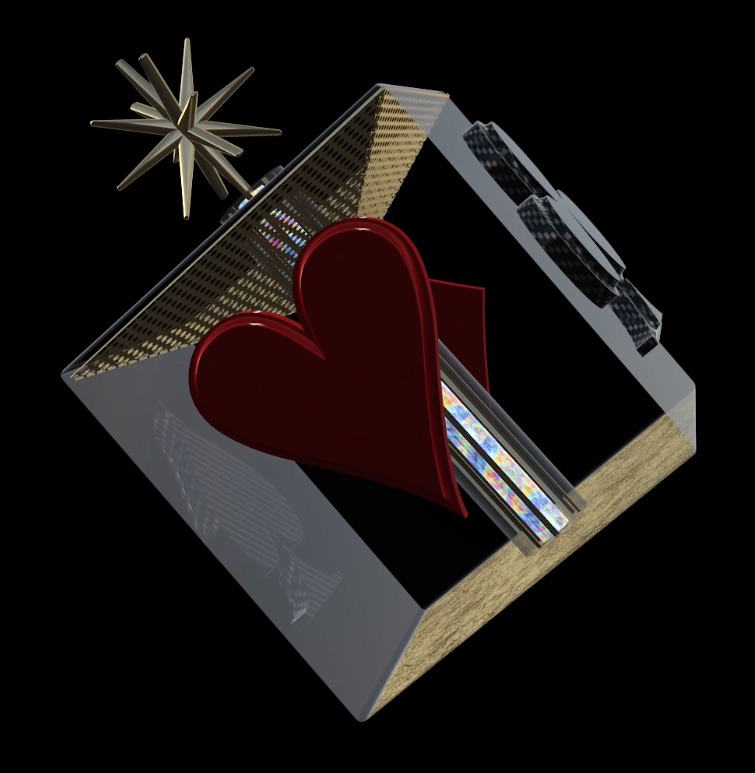
A few days ago, I was playing with the new environment 3d text in Motion. I was amazed at the quality and the options available. The first thing I noticed was the lack of glassy material, which I was able to create in a short time with the help of the included presets. The new environment has been created for 3D titles, but with a little imagination and fonts such as Zapf Dingbats, in no time I created these works. they are a bit kitsch but are only experiments. However, it is all in true 3D and created only with what Motion provides.
vimeo.com/143799176 pass:m98n
vimeo.com/143800038 pass:q1w2
You can download the the templates here www.filedropper.com/real3db and www.filedropper.com/cubeneonlight
Enjoy
Last edit: 29 Feb 2016 01:42 by Pielle.
Please Log in to join the conversation.

- ronny courtens
-

- Offline
- Moderator
-

Less
More
- Posts: 4455
- Thank you received: 962
28 Oct 2015 09:51 #69919
by ronny courtens
Replied by ronny courtens on topic Real 3D
Hi Luigi, welcome to the forum.
That's a really neat job you did there, and thank you for sharing your templates.
- Ronny
That's a really neat job you did there, and thank you for sharing your templates.
- Ronny
Please Log in to join the conversation.


28 Oct 2015 16:39 #69950
by VidGreg
Nice
I think we are only seeing the beginning of 3D for Macs. Some of the new frameworks and Metal should allow a vast expansion of 3D in the near future, not just text.
Have been using Blender for some 3D, but Macs GUI is way easier.
Thanks, Greg
I think we are only seeing the beginning of 3D for Macs. Some of the new frameworks and Metal should allow a vast expansion of 3D in the near future, not just text.
Have been using Blender for some 3D, but Macs GUI is way easier.
Thanks, Greg
Please Log in to join the conversation.
29 Oct 2015 11:49 #69976
by Deyson
Hello Greg. I use Blender as well. Love it. I use both Motion and Blender together. I even made a tutorial on how I do that:
deyson.com/learning/blender-to-motion-tutorial/
Please let me know what you think.
Please let me know what you think.
Please Log in to join the conversation.
30 Oct 2015 21:15 - 29 Feb 2016 01:33 #70050
by Pielle
Hello everybody
Here I am again with another experiment. The goal this time was to study the behavior of layers.
The matter is not so obvious because depending on how you group the elements to each other.
E.g In the beginning of the movie, the ball of light passing through the floor across a square opening.
I had to build the ball, and the city into two distinct groups and in two different times and then I had to copy and paste them into a new project. Make all in the same building project had two outcomes 1) the ball was in front of the floor 2) the ball went behind the floor. The same thing for the buildings.
Wanting to add an effect glove to the ball I found out that is not true 3D but 2D, The globe of light was visible through the building in the last part of the movie. There is much to Experiment, but the results are quite good. I agree with VidGreg I also hope in a 3D not only for text shortly. Dyson I saw the tutorial on Blender and Motion: very interesting; but for shapes obtainable inside Motion it is much faster now
Fonts are: Webdings and Zapf Dingbats
vimeo.com/144165761 pass: ikmj
Template here www.filedropper.com/nightinthecity
Enjoy !!
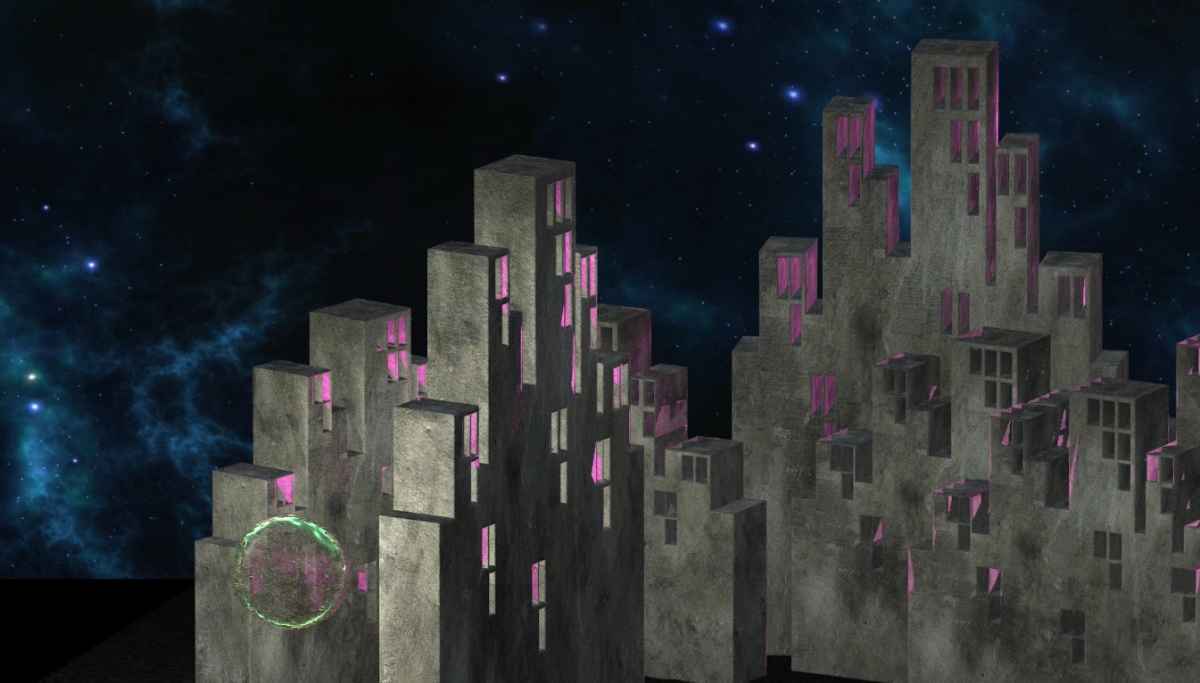
Here I am again with another experiment. The goal this time was to study the behavior of layers.
The matter is not so obvious because depending on how you group the elements to each other.
E.g In the beginning of the movie, the ball of light passing through the floor across a square opening.
I had to build the ball, and the city into two distinct groups and in two different times and then I had to copy and paste them into a new project. Make all in the same building project had two outcomes 1) the ball was in front of the floor 2) the ball went behind the floor. The same thing for the buildings.
Wanting to add an effect glove to the ball I found out that is not true 3D but 2D, The globe of light was visible through the building in the last part of the movie. There is much to Experiment, but the results are quite good. I agree with VidGreg I also hope in a 3D not only for text shortly. Dyson I saw the tutorial on Blender and Motion: very interesting; but for shapes obtainable inside Motion it is much faster now
Fonts are: Webdings and Zapf Dingbats
vimeo.com/144165761 pass: ikmj
Template here www.filedropper.com/nightinthecity
Enjoy !!
Last edit: 29 Feb 2016 01:33 by Pielle.
Please Log in to join the conversation.
03 Nov 2015 15:53 #70193
by VidGreg
Hey Deyson
Thanks for the tutorial. Hope you do more and post links here. Spread the word.
Learned some things I had not thought of. Using gray for color and then changing inside of Motion. Interesting.
I was aware of the export script and have used it. I mostly export out rendered movies and just use those, but interfacing with script to Motion is great.
However, after watching your tutorial and the Blender link, I think you might have a touch of cruelty in you. Made me remember all the cool things you can do in Blender, so now I want to restart a project I have been working for over a year. The aforementioned cruelty is that with Blender, the learning curve is very large and when I don't routinely work with it I have to relearn Blender interface again/again/again. :lol: I'm sure you are a very nice guy, hope I didn't offend.
Anyway, Blender is very cool. I wish I was better at it. I did do a simple 3D text title in Blender that I was going to use in the project I just completed. After spending days on it, FCPX10.2 came out with 3D Titles and I created a Title in about an hour. Most of my time in Blender is just learning/remembering where everything is.
Motion tracking, fluid dynamics, animation are really amazing. I am using Blender for illustrating fluid dynamics inside a bio-reactor I designed. Very complex. I work on it for a while, then leave to do other projects, then go back and find I forgot most of Blender.
My brain is like an overflowing hard drive that needs to delete knowledge to acquire more and is corrupted.
Think more folks should check Blender out. Great support community and resources available too. Very amazing and free. Makes me wonder why anyone would pay for Maya?? Then again, I haven't touched PhotoShop in a long time either since acquiring Pixelmator.
Would be cool to see some Blender extensions available in Motion/FCPX or maybe round tripping.
Thanks and Happy Editing, Greg
Thanks for the tutorial. Hope you do more and post links here. Spread the word.
Learned some things I had not thought of. Using gray for color and then changing inside of Motion. Interesting.
I was aware of the export script and have used it. I mostly export out rendered movies and just use those, but interfacing with script to Motion is great.
However, after watching your tutorial and the Blender link, I think you might have a touch of cruelty in you. Made me remember all the cool things you can do in Blender, so now I want to restart a project I have been working for over a year. The aforementioned cruelty is that with Blender, the learning curve is very large and when I don't routinely work with it I have to relearn Blender interface again/again/again. :lol: I'm sure you are a very nice guy, hope I didn't offend.
Anyway, Blender is very cool. I wish I was better at it. I did do a simple 3D text title in Blender that I was going to use in the project I just completed. After spending days on it, FCPX10.2 came out with 3D Titles and I created a Title in about an hour. Most of my time in Blender is just learning/remembering where everything is.
Motion tracking, fluid dynamics, animation are really amazing. I am using Blender for illustrating fluid dynamics inside a bio-reactor I designed. Very complex. I work on it for a while, then leave to do other projects, then go back and find I forgot most of Blender.
My brain is like an overflowing hard drive that needs to delete knowledge to acquire more and is corrupted.
Think more folks should check Blender out. Great support community and resources available too. Very amazing and free. Makes me wonder why anyone would pay for Maya?? Then again, I haven't touched PhotoShop in a long time either since acquiring Pixelmator.
Would be cool to see some Blender extensions available in Motion/FCPX or maybe round tripping.
Thanks and Happy Editing, Greg
Please Log in to join the conversation.
03 Nov 2015 16:05 #70194
by Deyson
Ha! I am glad you liked it. Blender is a very powerful tool and with that power comes a learning curve.
I have found some amazing places to learn Blender. Blenderguru, GC cookie are my top favorite.
The reason I believe that many do not use Blender is because of the price. They may assume being that it is free the quality must not be good. However, I have seen an increase in production houses using Blender so that is a good thing.
I try to force myself to use Blender often as I do not want to forget it. I love it for its power and I find it to be much simpler to use than other animation tools. It could be because I have used it for a while now or because of such a huge community that is willing to help out.
Keep me posted on your progress and let me know if you have any questions. Have an amazing day!
Have an amazing day Greg!
I have found some amazing places to learn Blender. Blenderguru, GC cookie are my top favorite.
The reason I believe that many do not use Blender is because of the price. They may assume being that it is free the quality must not be good. However, I have seen an increase in production houses using Blender so that is a good thing.
I try to force myself to use Blender often as I do not want to forget it. I love it for its power and I find it to be much simpler to use than other animation tools. It could be because I have used it for a while now or because of such a huge community that is willing to help out.
Keep me posted on your progress and let me know if you have any questions. Have an amazing day!
Have an amazing day Greg!
Please Log in to join the conversation.

05 Nov 2015 17:38 #70255
by Schwyhart
Not to derail the thread, but the biggest reason studios use Maya is because the tools are actually better. Maybe not all of them, but most of them. Also, studios have already invested thousands, if not millions, into a Maya production pipeline; however most studios have multiple 3D packages in use. I don't know of any that use only one package to be honest.
Blender is really great and it's getting better all the time, but the UI isn't easy to pick up, especially if you've already used another 3D package for so long and the fact that it is open-source means it has potential to stop developing. But then again, so do commercial packages like XSI, which Autodesk killed a while back in favor of putting those resources into Maya.
I however despise Autodesk and even though i know Maya very well, I refuse to use it. I currently use MODO and am getting a start in Lightwave.
Okay, back on topic
Blender is really great and it's getting better all the time, but the UI isn't easy to pick up, especially if you've already used another 3D package for so long and the fact that it is open-source means it has potential to stop developing. But then again, so do commercial packages like XSI, which Autodesk killed a while back in favor of putting those resources into Maya.
I however despise Autodesk and even though i know Maya very well, I refuse to use it. I currently use MODO and am getting a start in Lightwave.
Okay, back on topic
Please Log in to join the conversation.
05 Nov 2015 17:49 #70257
by Schwyhart
Not likely. The engine that powers Motion most likely can't ever support doing real 3D modeling, animation, rendering. Obviously, it can do 3D now, but this is nothing compared to a full 3D package. Also, the time and resources to allow Motion to do this is probably not worth it to Apple since there are already so many 3D software's considered as a full package (meaning you can model, sculpt, texture, animate, simulate, and render).
It's more likely they will allow models to be brought in to Motion to do basic animations and compositing without the need of a 3rd party plugin.
Also, given the fact that Apple is so slow developing Motion, I would not expect this any time soon.
Deyson wrote: things like Photo Realistic Renders, Physics and Modeling which can not be done in Motion yet.
Not likely. The engine that powers Motion most likely can't ever support doing real 3D modeling, animation, rendering. Obviously, it can do 3D now, but this is nothing compared to a full 3D package. Also, the time and resources to allow Motion to do this is probably not worth it to Apple since there are already so many 3D software's considered as a full package (meaning you can model, sculpt, texture, animate, simulate, and render).
It's more likely they will allow models to be brought in to Motion to do basic animations and compositing without the need of a 3rd party plugin.
Also, given the fact that Apple is so slow developing Motion, I would not expect this any time soon.
Please Log in to join the conversation.
07 Nov 2015 14:34 #70334
by VidGreg
Hi Luigi
It is also possible to convert vector graphics (SVG??) like logos into a font format and then use the 3D effects in Motion/FCPX.
Here is a video from MacBreak Studios on one method to do this, there are other ways as well…
Just something to add to your tool belt.
Hope this helps, Greg
It is also possible to convert vector graphics (SVG??) like logos into a font format and then use the 3D effects in Motion/FCPX.
Here is a video from MacBreak Studios on one method to do this, there are other ways as well…
Just something to add to your tool belt.
Hope this helps, Greg
Please Log in to join the conversation.
10 Nov 2015 02:30 #70434
by Pielle
Thank you VidGreg I really appreciated your hints. in the first tutorial Steve Martin uses a professional expensive program.For our purposes it is better to use a free web app like glyphter
which uses SVG files. I know very well the creative use of special characters, Many years ago when Filemaker was .fp3 and was unable to handle images, I develop a program for my job where I design a set of characters with logo and other symbols. This is the reason why I did the things I posted in this blog. But I worked with what the program provides, and I posted templates so that everyone was able to to reproduce them. This does not mean that I'm not squeezing the new environment 3d text to reach its limits, and I think that the complexity of this project has reached those limits that are not very high. I work with an iMac with an i7 quad core 16GB and 500GB SSD and the memory is starting to freeze. The model is the Leonardo da Vinci’s Ornithopter , I drew the character set with Gliphter. Now I'm doing the animation, I am attaching some pictures. I'd love to see your work on this topic, basically I started to stimulate the use of 3D in Motion.
which uses SVG files. I know very well the creative use of special characters, Many years ago when Filemaker was .fp3 and was unable to handle images, I develop a program for my job where I design a set of characters with logo and other symbols. This is the reason why I did the things I posted in this blog. But I worked with what the program provides, and I posted templates so that everyone was able to to reproduce them. This does not mean that I'm not squeezing the new environment 3d text to reach its limits, and I think that the complexity of this project has reached those limits that are not very high. I work with an iMac with an i7 quad core 16GB and 500GB SSD and the memory is starting to freeze. The model is the Leonardo da Vinci’s Ornithopter , I drew the character set with Gliphter. Now I'm doing the animation, I am attaching some pictures. I'd love to see your work on this topic, basically I started to stimulate the use of 3D in Motion.
Please Log in to join the conversation.
07 Dec 2015 00:13 - 29 Feb 2016 01:37 #71206
by Pielle
After a few days spent experimenting with various animations of moving water, I finished the
ornithopter’s animation. I decided to share the project with you, because I think it's interesting for everyone to see how it was made and how I used the 3D Text environment to build the Da Vinci’s Ornithopter.
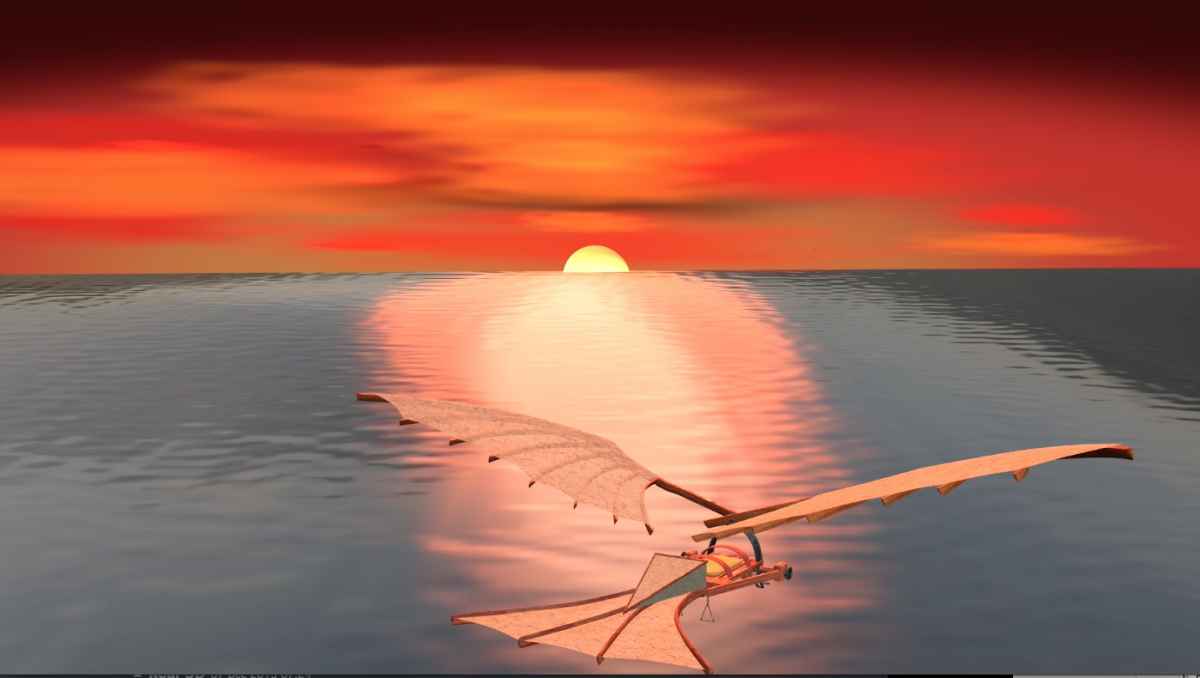
So in addition to the template enclose the font-Ornithopter Regular.ttf I drew in Svg and converted into a .ttf font with the free on-line font Machine “https://glyphter.com”.
You must install the font before starting Motion, and stay light with memory usage: in the window layers open the triangle of ornithopter and Uncheck the platform and if you need even the tail . Under the render menu select Quality normal, so you will be able to see an almost smooth animation in real time. Enjoy the work, and remember that with copy and paste, you can transfer items with settings including from project to project in Apple Motion.
have a nice day !!!
vimeo.com/148028594
The project in attachments
ornithopter’s animation. I decided to share the project with you, because I think it's interesting for everyone to see how it was made and how I used the 3D Text environment to build the Da Vinci’s Ornithopter.
So in addition to the template enclose the font-Ornithopter Regular.ttf I drew in Svg and converted into a .ttf font with the free on-line font Machine “https://glyphter.com”.
You must install the font before starting Motion, and stay light with memory usage: in the window layers open the triangle of ornithopter and Uncheck the platform and if you need even the tail . Under the render menu select Quality normal, so you will be able to see an almost smooth animation in real time. Enjoy the work, and remember that with copy and paste, you can transfer items with settings including from project to project in Apple Motion.
have a nice day !!!
vimeo.com/148028594
The project in attachments
Last edit: 29 Feb 2016 01:37 by Pielle.
Please Log in to join the conversation.
- Karsten Schlüter
-

- Offline
- Moderator
-
Less
More
- Posts: 3790
- Thank you received: 718
07 Dec 2015 07:24 #71211
by Karsten Schlüter
Replied by Karsten Schlüter on topic Real 3D
a model that detailed, 'painted' with 'letters' ... awesome!
(to some degree crazy - in a positive way!)
… and me happy creating rotating cubes in Motion LOL!!
(to some degree crazy - in a positive way!)
… and me happy creating rotating cubes in Motion LOL!!
Please Log in to join the conversation.
