


- Posts: 213
- Thank you received: 19
3 Post Moderation Rule for New Boarders (25 Jan 2021)
New boarders will have their posts moderated - Don't worry if you cannot see your post immediately.
Rigging position of a group in a Lower Third
26 Aug 2015 17:57 #67732
by bobmax48
Rigging position of a group in a Lower Third was created by bobmax48
I have a lower third that I have created and rigged so that it can be on the right or left side of the screen. Another function I would to have is to be able to move the whole lower third up or down on the X and Y positions if it needs to be adjusted. I have only been able to move the whole lower third on x/y on one of the rigged positions but not on both. One method I tried was to make two separate lower thirds, one on the left and one on the right. I tried to create a popup rig that would turn one on and the other one off but that did not work either.
Please Log in to join the conversation.

26 Aug 2015 18:20 #67734
by Deyson
Replied by Deyson on topic Rigging position of a group in a Lower Third
Hello Bob and good day.
You may also want to try to place the entire lower third inside of a new group and then add a new rig to the X & Y on that group. Please let me know if this makes sense.
Have a great day!
You may also want to try to place the entire lower third inside of a new group and then add a new rig to the X & Y on that group. Please let me know if this makes sense.
Have a great day!
Please Log in to join the conversation.
27 Aug 2015 13:03 #67748
by bobmax48
Replied by bobmax48 on topic Rigging position of a group in a Lower Third
Thank you for the suggestion. I went back and watched one of the Ripple Training Rigging videos where Mark Spencer used the opacity perimeter. So for now I am using that tip but later when I have some free time I will try another approach using your tip.
Please Log in to join the conversation.
27 Aug 2015 13:18 #67749
by Deyson
Replied by Deyson on topic Rigging position of a group in a Lower Third
Glad to hear you got it working. Have an amazing day!
Have an amazing day! Please Log in to join the conversation.
- Karsten Schlüter
-

- Offline
- Moderator
-

Less
More
- Posts: 3790
- Thank you received: 718
27 Aug 2015 15:00 - 27 Aug 2015 15:06 #67750
by Karsten Schlüter
Replied by Karsten Schlüter on topic Rigging position of a group in a Lower Third
Many ways lead to Rome ... here's my suggestion, without touching Opacity:
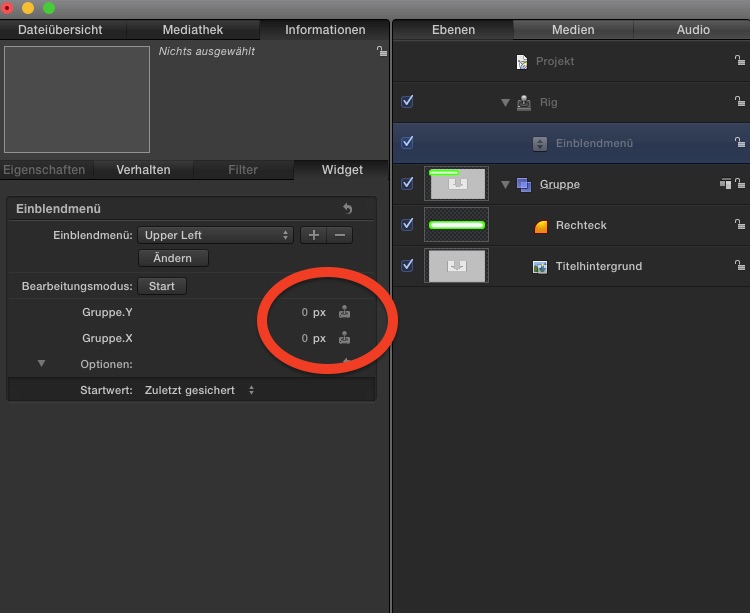
My Rig is a drop-down menu, and I connect X and Y of the lower-third Group to it
The fun with Rigs is, you can combine all sorts of parameters, not just one ..
So, set 1 give the x/y position lower left, set 2 lower right... you got the idea,
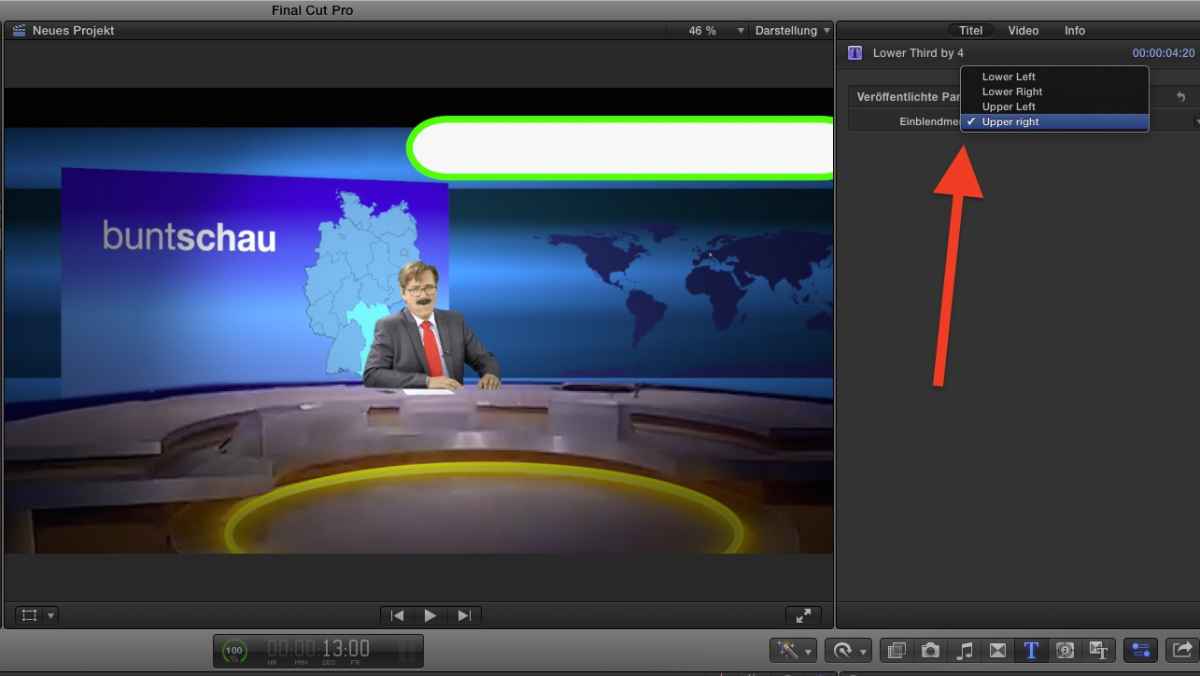
In FCPX, my nrw title has 4 Options:
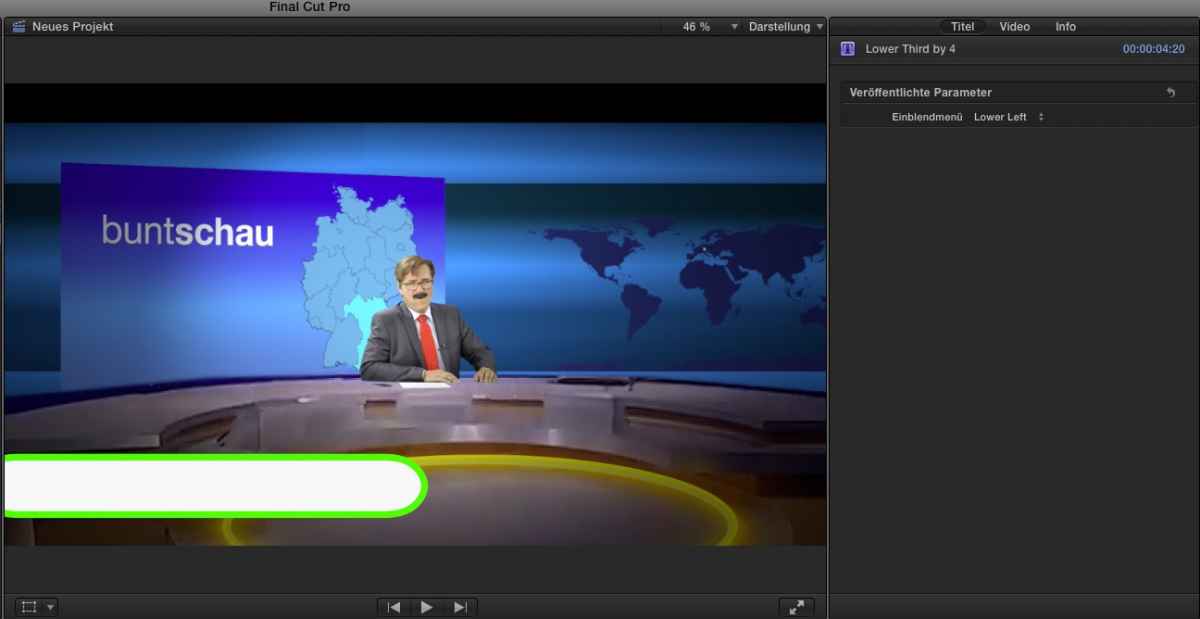
When I select one of those the lower third 'jumps' in its position....
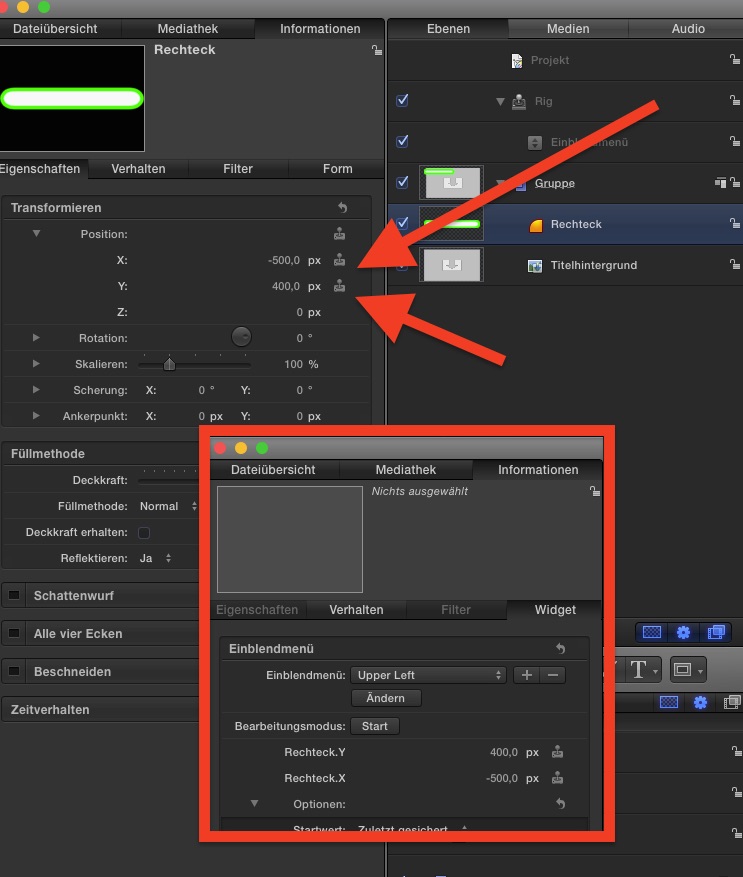
My Rig is a drop-down menu, and I connect X and Y of the lower-third Group to it
The fun with Rigs is, you can combine all sorts of parameters, not just one ..
So, set 1 give the x/y position lower left, set 2 lower right... you got the idea,
In FCPX, my nrw title has 4 Options:
When I select one of those the lower third 'jumps' in its position....
Last edit: 27 Aug 2015 15:06 by Karsten Schlüter.
Please Log in to join the conversation.
