


- Thank you received: 0
3 Post Moderation Rule for New Boarders (25 Jan 2021)
New boarders will have their posts moderated - Don't worry if you cannot see your post immediately.
Moving clips to exact spot you want them to begin?
-
 Topic Author
- New Member
-

Less
More
25 Jan 2023 22:40 #123839
by
Moving clips to exact spot you want them to begin? was created by
Hi All! I just started using Final Cut Pro today and really like it so far - I am using FCP to make a music video - the song is already imported as are the video clips - I have about 18 separate clips in total.
My song is 120 BPM and if I look at the song's waveform I can see peaks which correlate to kick drums - this is helpful to have new clips start with & on the beat - only things is I am having a heck of a time making the clips start on the beat.
I am familiar with snapping and the different modes, select, trim, etc - I read up on some other threads taking about frame rates being this issue but what I do not understand is why I cannot manually move a new clip t wherever I want it time wise.
Is this possible or am I wrong? I added a short video to show what I am doing and what is happening.
Thanks for all your help!
My song is 120 BPM and if I look at the song's waveform I can see peaks which correlate to kick drums - this is helpful to have new clips start with & on the beat - only things is I am having a heck of a time making the clips start on the beat.
I am familiar with snapping and the different modes, select, trim, etc - I read up on some other threads taking about frame rates being this issue but what I do not understand is why I cannot manually move a new clip t wherever I want it time wise.
Is this possible or am I wrong? I added a short video to show what I am doing and what is happening.
Thanks for all your help!
Please Log in to join the conversation.


26 Jan 2023 00:03 #123840
by VTC
Replied by VTC on topic Moving clips to exact spot you want them to begin?
Video not showing.
Please Log in to join the conversation.


26 Jan 2023 00:06 #123841
by TerryB
Replied by TerryB on topic Moving clips to exact spot you want them to begin?
I don't see the attached video.
If you're zoomed way in, you might be seeing the audio waveform but you can only place video on a video frame boundary. When you're zoomed way in, scrubbing in the timeline will show a blue-ish boundary at the frame start.
If this is not what you're describing, maybe you're experiencing the magnetic timeline and clips are snapping. If you press the 'p' key that will put you in Position mode and you can freely move a clip without any magnetic snapping. Press 'a' to return to normal mode.
If you haven't already watched these, they can save you a ton of time getting up to speed with FCP.
Steve at Ripple Training, 60 minute FCP tutorial overview
Izzy Video tutorials. Slightly older so the UI looks different but the concepts are still correct.
If you're zoomed way in, you might be seeing the audio waveform but you can only place video on a video frame boundary. When you're zoomed way in, scrubbing in the timeline will show a blue-ish boundary at the frame start.
If this is not what you're describing, maybe you're experiencing the magnetic timeline and clips are snapping. If you press the 'p' key that will put you in Position mode and you can freely move a clip without any magnetic snapping. Press 'a' to return to normal mode.
If you haven't already watched these, they can save you a ton of time getting up to speed with FCP.
Steve at Ripple Training, 60 minute FCP tutorial overview
Izzy Video tutorials. Slightly older so the UI looks different but the concepts are still correct.
Please Log in to join the conversation.
26 Jan 2023 02:16 #123842
by VTC
Replied by VTC on topic Moving clips to exact spot you want them to begin?
In the tutorial video above cutting to the beat starts at 15 minutes.
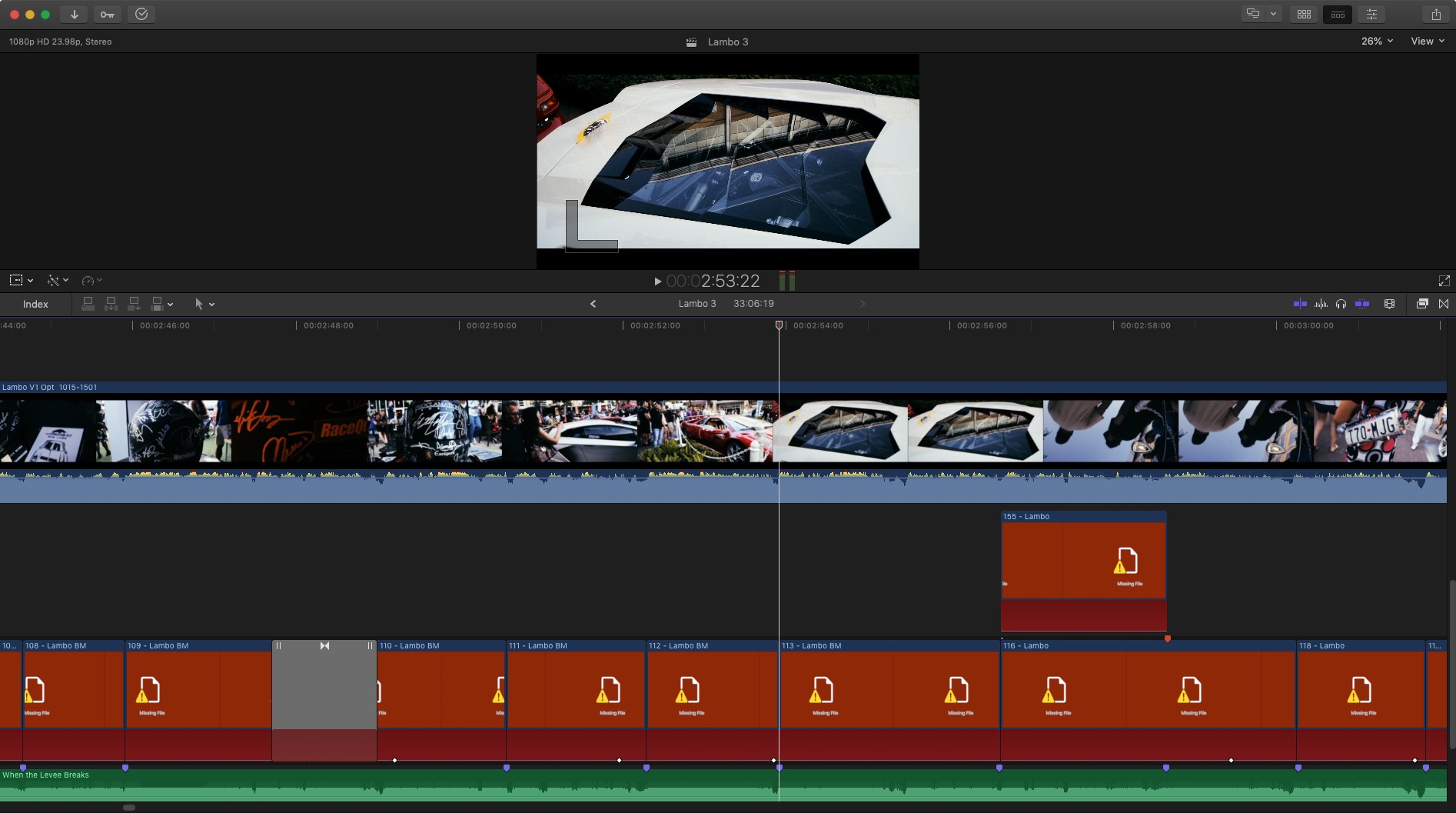
One trick to consider is if you have the perfect subject clip that's 10 seconds long but needs to fit in a beat space that's 9 second or 12 second long... slow or speed the clip to consume that time space. It'll go unnoticed. Also, if you need a transition and there's not enough 'handles' on the clip to work with, you can either create a still frame and use that for handles or speed ramp the ends of the clips transitioning to gain enough media to work with.
One trick to consider is if you have the perfect subject clip that's 10 seconds long but needs to fit in a beat space that's 9 second or 12 second long... slow or speed the clip to consume that time space. It'll go unnoticed. Also, if you need a transition and there's not enough 'handles' on the clip to work with, you can either create a still frame and use that for handles or speed ramp the ends of the clips transitioning to gain enough media to work with.
Please Log in to join the conversation.
-
Topic Author
- New Member
-
Less
More
- Thank you received: 0
26 Jan 2023 11:26 #123847
by
Replied by on topic Moving clips to exact spot you want them to begin?
Wow - thanks everyone for your replies! Very kind!
I just reattached the video and hope it works this time! As you can see I am trying to nudge the video a tiny bit to line up with the transient in the audio file which can be seen with its yellowish peak. Snap is off but the video clip does not move totally free, it clicks into place.
Thanks for your help and patience!
I just reattached the video and hope it works this time! As you can see I am trying to nudge the video a tiny bit to line up with the transient in the audio file which can be seen with its yellowish peak. Snap is off but the video clip does not move totally free, it clicks into place.
Thanks for your help and patience!
Please Log in to join the conversation.
- Tom Wolsky
-

- Offline
- Moderator
-

26 Jan 2023 23:05 #123851
by Tom Wolsky
Replied by Tom Wolsky on topic Moving clips to exact spot you want them to begin?
How precisely you can place the clip depends on the frame rate you're using. You can only place video in exact frame increments up to a 60th of a second.
Please Log in to join the conversation.
27 Jan 2023 05:23 #123854
by VTC
Replied by VTC on topic Moving clips to exact spot you want them to begin?
Using a micrometer while editing will drive you nuts. Besides, being off a frame or two will go unnoticed. (Still don't see a video or image.)
Please Log in to join the conversation.
-
Topic Author
- New Member
-
Less
More
- Thank you received: 0
30 Jan 2023 12:31 #123889
by
Replied by on topic Moving clips to exact spot you want them to begin?
Thanks for your replies! I have no idea why the video clip - screen recording did not upload - everything was uploaded and no errors occurred - but my question has been answered so thanks everyone for your help!! Very grateful!
Please Log in to join the conversation.
- MichelleGehl
-

- Offline
- New Member
-
Less
More
- Posts: 9
- Thank you received: 1
13 Feb 2023 13:24 - 19 Mar 2023 23:45 #124115
by MichelleGehl
Thanks for the video, if I face any problem, I will message you.
Replied by MichelleGehl on topic Moving clips to exact spot you want them to begin?
I don't see the attached video.
If you're zoomed way in, you might be seeing the audio waveform but you can only place video on a video frame boundary. When you're zoomed way in, scrubbing in the timeline will show a blue-ish boundary at the frame start.
If this is not what you're describing, maybe you're experiencing the magnetic timeline and clips are snapping. If you press the 'p' key that will put you in Position mode and you can freely move a clip without any magnetic snapping. Press 'a' to return to normal mode.
If you haven't already watched these, they can save you a ton of time getting up to speed with FCP.
Steve at Ripple Training, 60 minute FCP tutorial overview
Izzy Video tutorials. Slightly older so the UI looks different but the concepts are still correct.
Thanks for the video, if I face any problem, I will message you.
Last edit: 19 Mar 2023 23:45 by MichelleGehl.
Please Log in to join the conversation.
