


- Posts: 129
- Thank you received: 2
3 Post Moderation Rule for New Boarders (25 Jan 2021)
New boarders will have their posts moderated - Don't worry if you cannot see your post immediately.
STRANGE Behavior when Importing Back XML From Resolve Audio ABOVE Timeline
25 Jan 2023 00:11 - 25 Jan 2023 00:12 #123810
by Smesh
Anyone seen this before? When I collapsed the timeline to clean it up before sending it to resolve, the dialog from the interviews and Multicam goes detaches and drops below the b-roll in the main timeline.
Somehow, when I'm done any grade and bring the XML back in, the audio is now above the timeline. What's more, the video beneath it is black. I need to move the audio back below the timeline to fix it, without causing it to go out of sync. Need to figure out how to do that, but also need to figure out what is causing it.
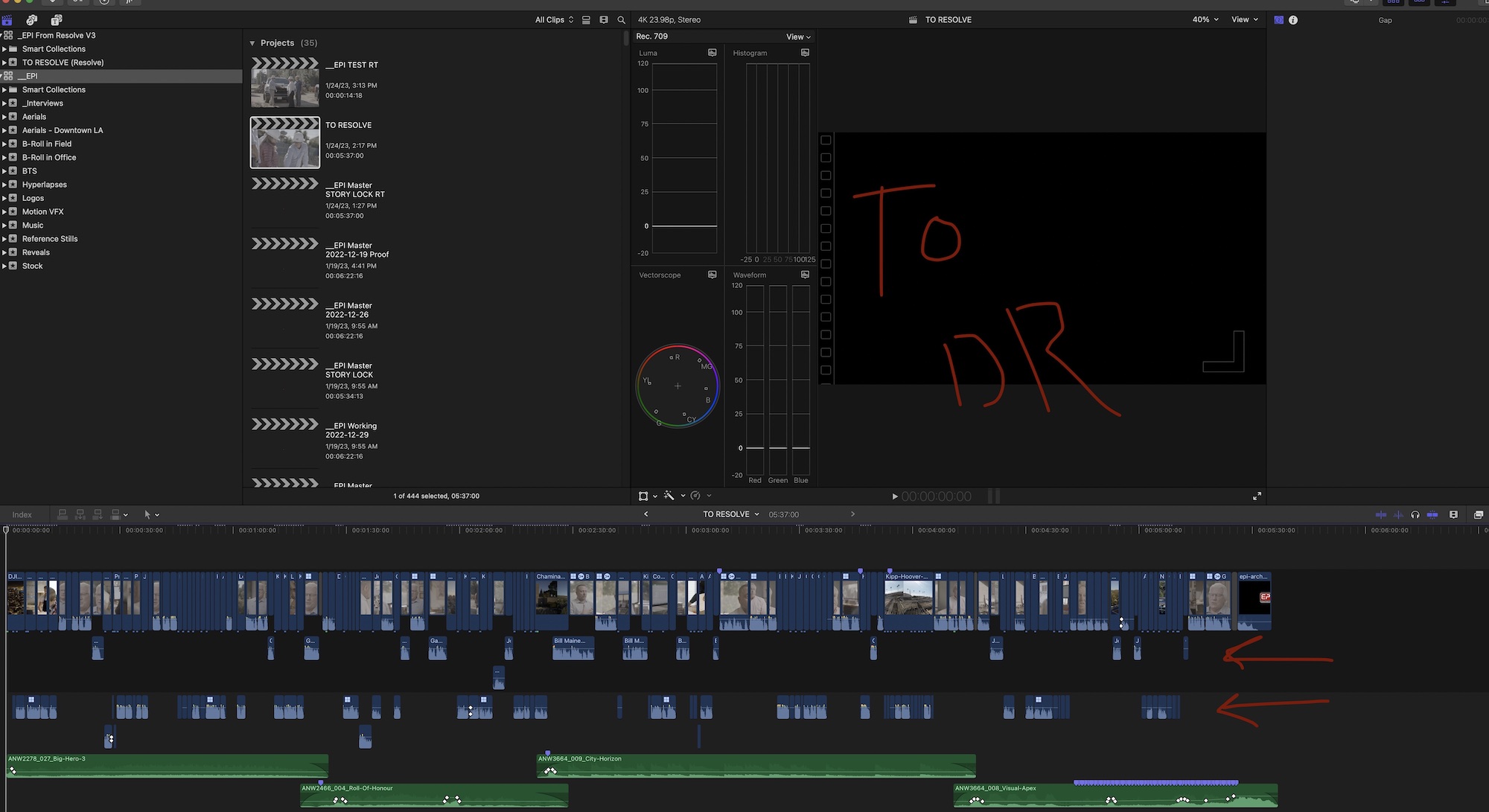
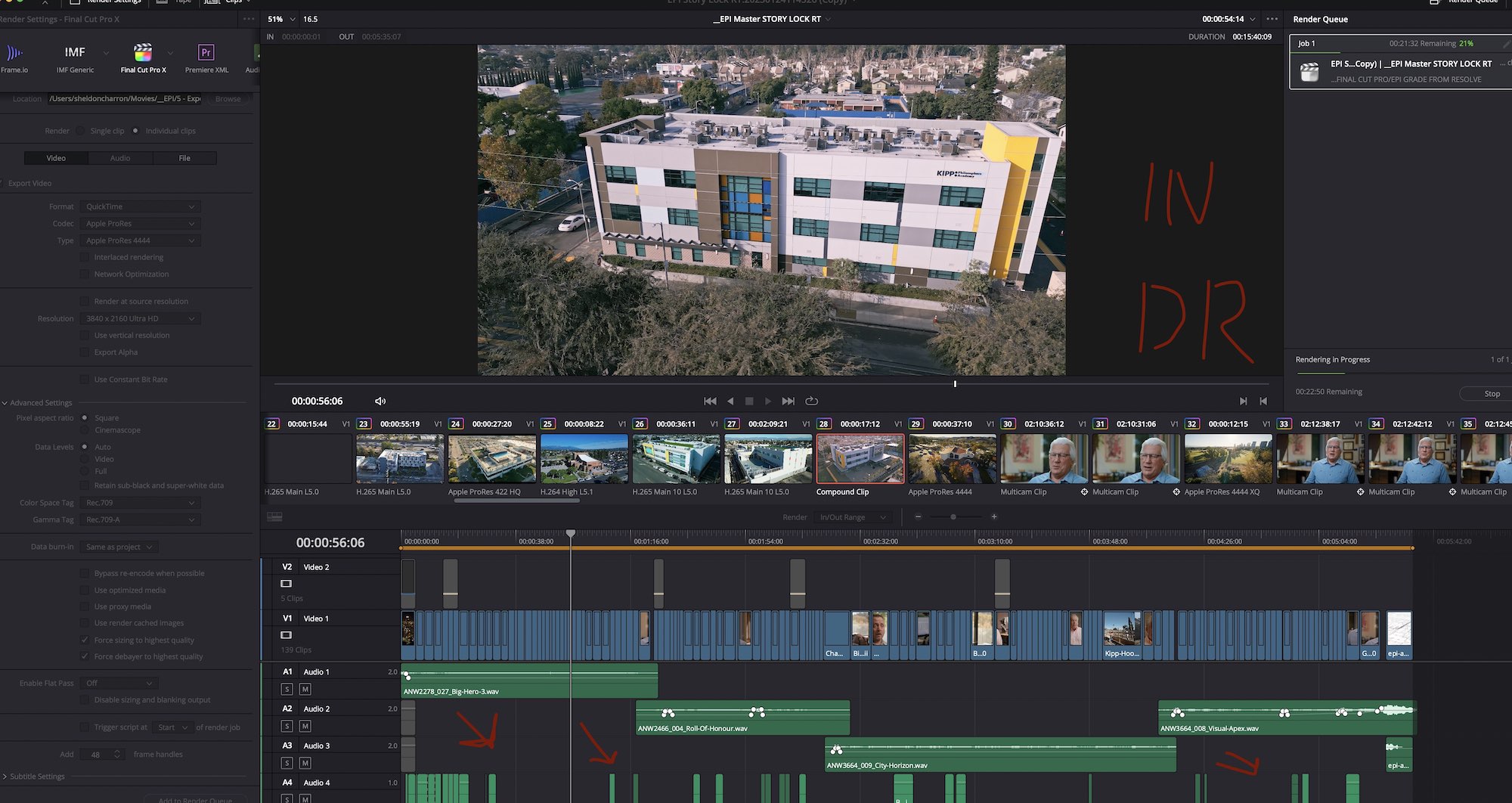
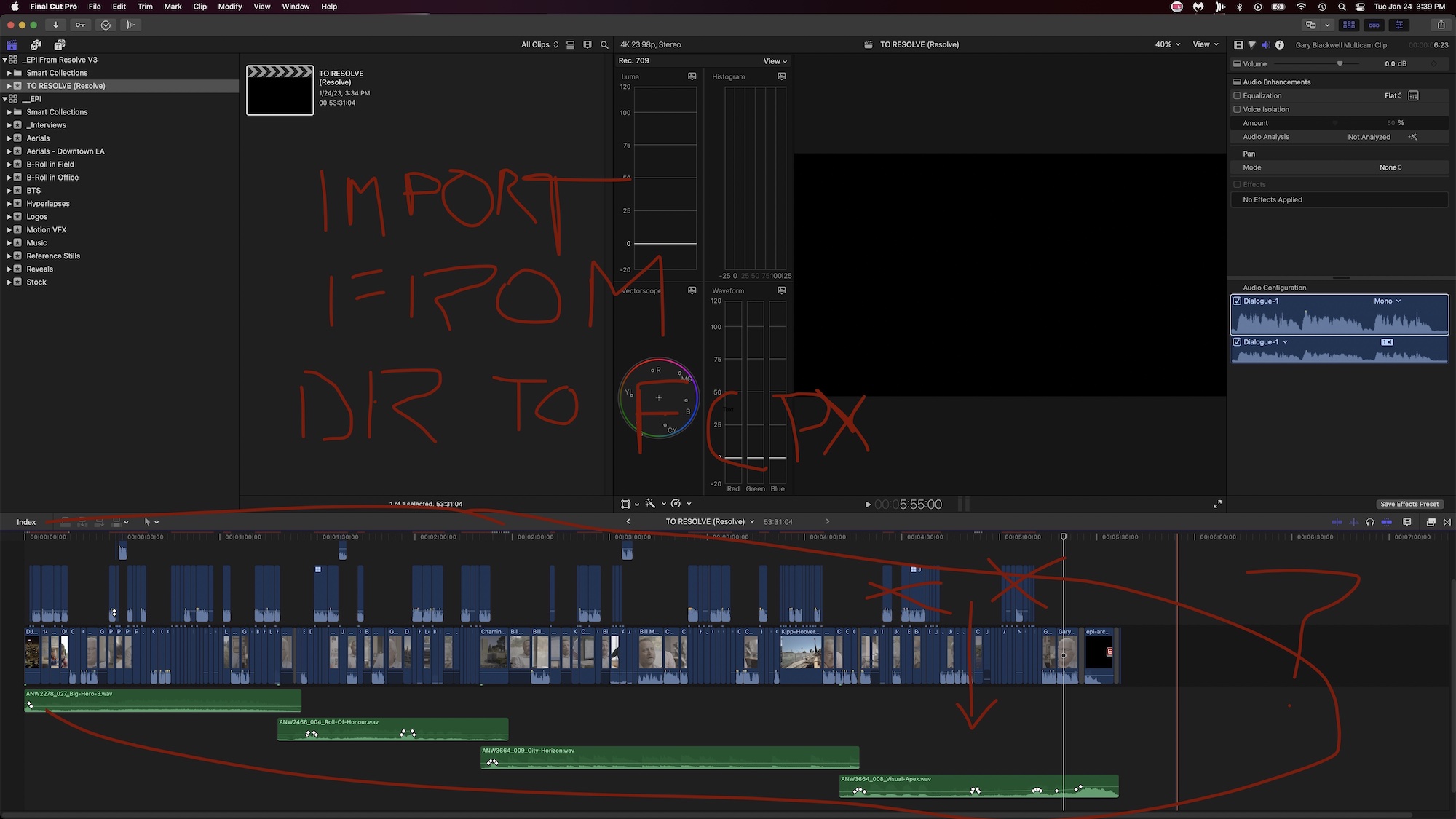
Somehow, when I'm done any grade and bring the XML back in, the audio is now above the timeline. What's more, the video beneath it is black. I need to move the audio back below the timeline to fix it, without causing it to go out of sync. Need to figure out how to do that, but also need to figure out what is causing it.
Last edit: 25 Jan 2023 00:12 by Smesh.
Please Log in to join the conversation.


25 Jan 2023 00:46 - 25 Jan 2023 02:57 #123812
by DaveM
Replied by DaveM on topic STRANGE Behavior when Importing Back XML From Resolve Audio ABOVE Timeline
Not directly addressing the issue... you could try exporting the XML from Resolve without audio and import that into FCP.
Though it might not be worthwhile for this project, you could duplicate your Project/timeline in FCP, detach audio, and delete all audio before exporting the XML to go to Resolve. It's often beneficial to reduce the number of things that may not translate well when exporting an XML from FCP for use in something like Resolve.
As far as vertically moving a bunch of clips with them shifting in time (sync), you can hold the shift key as you drag.
Though it might not be worthwhile for this project, you could duplicate your Project/timeline in FCP, detach audio, and delete all audio before exporting the XML to go to Resolve. It's often beneficial to reduce the number of things that may not translate well when exporting an XML from FCP for use in something like Resolve.
As far as vertically moving a bunch of clips with them shifting in time (sync), you can hold the shift key as you drag.
Last edit: 25 Jan 2023 02:57 by DaveM.
Please Log in to join the conversation.
