




- Posts: 3
- Thank you received: 0
3 Post Moderation Rule for New Boarders (25 Jan 2021)
New boarders will have their posts moderated - Don't worry if you cannot see your post immediately.
Exclude Blue Foreground Object from Blue Chroma Key
06 Apr 2022 23:01 #119828
by xTVPx
Exclude Blue Foreground Object from Blue Chroma Key was created by xTVPx
Sorry if this solution has been posted here before, but after scouring for hours, none of the posts I found have helped me. I must be missing something.
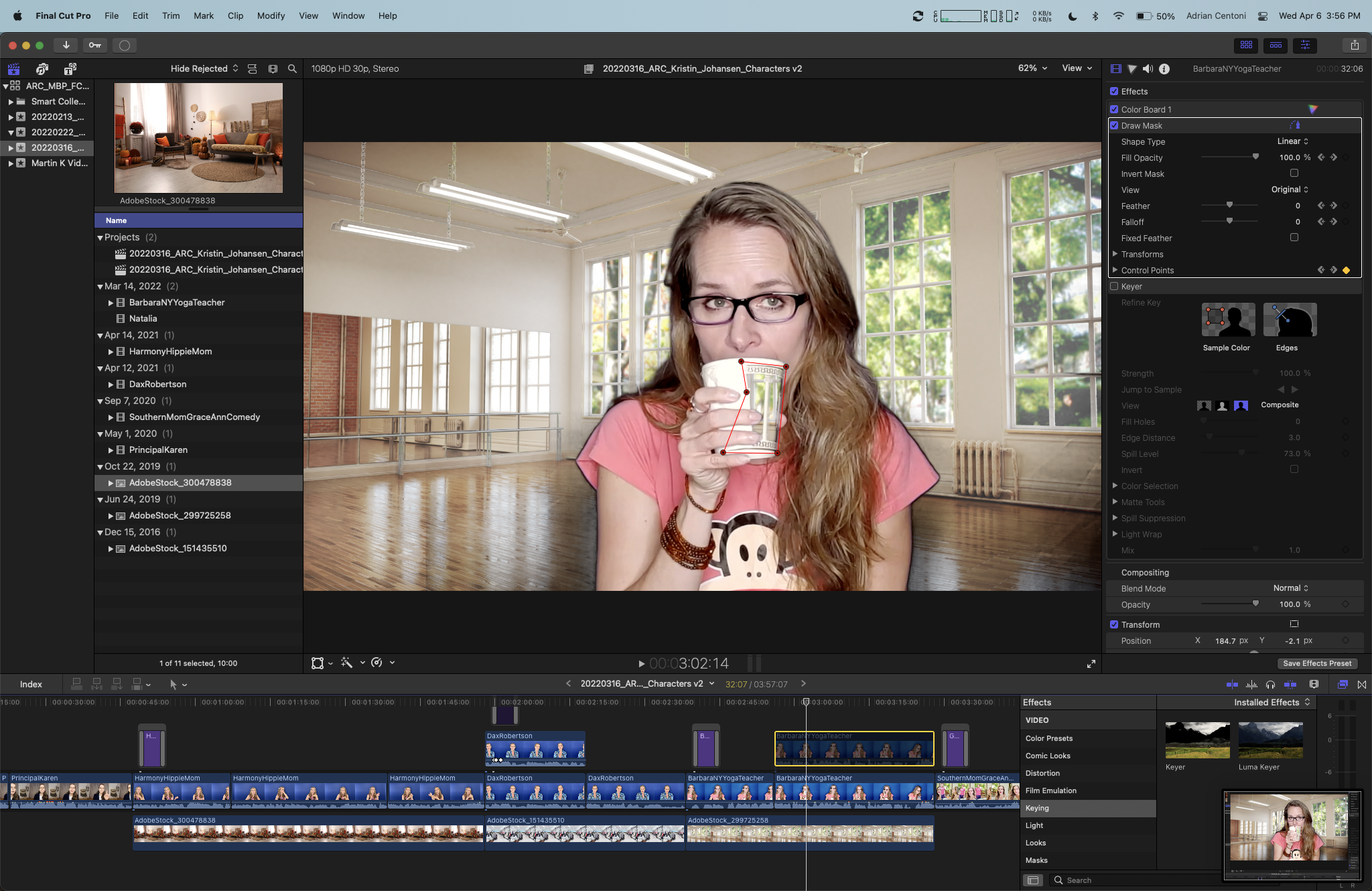
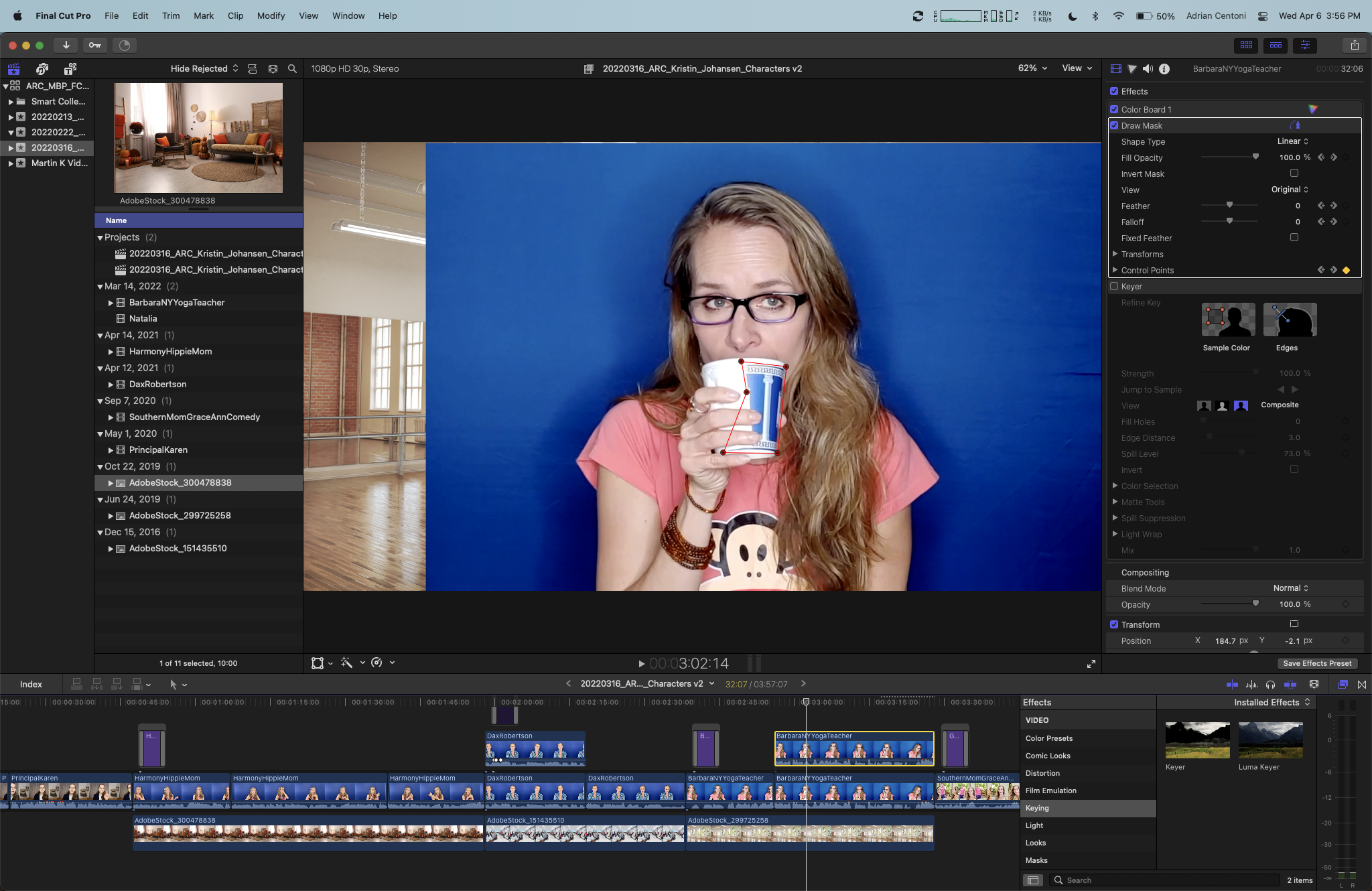
I'm trying to keep this woman's cup blue, despite the blue chroma key in the background. I masked it out with keyframes that follow it into and out of frame, but I don't know what to do next to actually exclude it from turning into the background once I've masked it. It's driving me nuts. Please help. Thanks so much in advance.
I'm trying to keep this woman's cup blue, despite the blue chroma key in the background. I masked it out with keyframes that follow it into and out of frame, but I don't know what to do next to actually exclude it from turning into the background once I've masked it. It's driving me nuts. Please help. Thanks so much in advance.
Please Log in to join the conversation.


07 Apr 2022 14:15 #119851
by dmetz
Replied by dmetz on topic Exclude Blue Foreground Object from Blue Chroma Key
You could do one of two things here:
1. Duplicate the clip, remove the key from the dupe, and just have the masked cup sit on top of the original keyed shot
2. Delete the mask effect, and use the masking tool in the Keyer effect to exclude the cup from the key.
1. Duplicate the clip, remove the key from the dupe, and just have the masked cup sit on top of the original keyed shot
2. Delete the mask effect, and use the masking tool in the Keyer effect to exclude the cup from the key.
Please Log in to join the conversation.
07 Apr 2022 18:01 #119859
by xTVPx
Replied by xTVPx on topic Exclude Blue Foreground Object from Blue Chroma Key
Thanks for the reply.
Option 1 didn't work for me. Don't know why.
For option 2, I don't understand what you mean by "masking tool in the Keyer effect". How do I create a mask in the keyer effect?
Option 1 didn't work for me. Don't know why.
For option 2, I don't understand what you mean by "masking tool in the Keyer effect". How do I create a mask in the keyer effect?
Please Log in to join the conversation.
08 Apr 2022 14:17 #119871
by dmetz
Replied by dmetz on topic Exclude Blue Foreground Object from Blue Chroma Key
Sorry, I was going under the assumption that the Keyer had the same mask tools as most other effects, but it doesn't. Option 2 is pure fantasy.. :^)
What happened with option 1?
For the setup, you've got your keyed clip in the primary storyline with a copy of that clip attached above - no key effect, just a mask around the cup. So if you were to disable the primary clip, you'd only see the cup 'overlay'.
What happened with option 1?
For the setup, you've got your keyed clip in the primary storyline with a copy of that clip attached above - no key effect, just a mask around the cup. So if you were to disable the primary clip, you'd only see the cup 'overlay'.
Please Log in to join the conversation.
08 Apr 2022 17:18 #119877
by xTVPx
Replied by xTVPx on topic Exclude Blue Foreground Object from Blue Chroma Key
Finally figured it out. I knew it would be something small like this.
I didn't realize that the "view" on the mask was set to original instead of composite. It just kept showing the blue background even on the masked clip. Thanks for your help though. Appreciate it.
I didn't realize that the "view" on the mask was set to original instead of composite. It just kept showing the blue background even on the masked clip. Thanks for your help though. Appreciate it.
Please Log in to join the conversation.
