


- Posts: 2
- Thank you received: 0
3 Post Moderation Rule for New Boarders (25 Jan 2021)
New boarders will have their posts moderated - Don't worry if you cannot see your post immediately.
High exposure fix
- schmitty83
-
 Topic Author
- Offline
- New Member
-

Less
More
23 Mar 2021 19:27 #113602
by schmitty83
High exposure fix was created by schmitty83
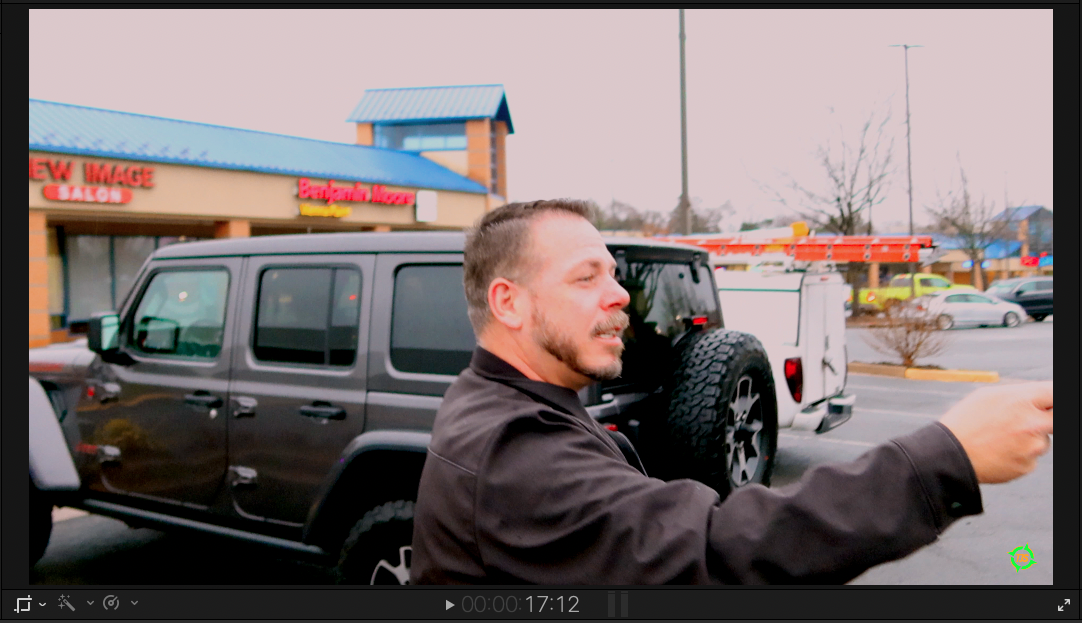
Hi, I filmed some footage on a canon g7x mark iii and the exposure comp was set to high. All the footage I filmed is too bright and white now. I messed with the color and exposure setting in fcp, although I can't get it to not look too bright. I included the clip.
Please Log in to join the conversation.


24 Mar 2021 00:24 #113615
by JoeEditor
Replied by JoeEditor on topic High exposure fix
Yeah, once the brights (or shadows) are blown-out, there's no data to recover in the original recording. You can only do so much with it.
Please Log in to join the conversation.

24 Mar 2021 10:16 - 24 Mar 2021 10:17 #113627
by joema
It doesn't look that bad. Can you trim the *original* camera file to short sample clip using Quicktime Player, then upload it to a place we can access, such as DropBox? Quicktime Player does not usually re-encode the file, so it avoids any "generational loss". See below for how to use Quicktime Player for this:
Replied by joema on topic High exposure fix
schmitty83 wrote: ...exposure comp was set to high. All the footage I filmed is too bright...I can't get it to not look too bright. I included the clip.
It doesn't look that bad. Can you trim the *original* camera file to short sample clip using Quicktime Player, then upload it to a place we can access, such as DropBox? Quicktime Player does not usually re-encode the file, so it avoids any "generational loss". See below for how to use Quicktime Player for this:
Last edit: 24 Mar 2021 10:17 by joema.
Please Log in to join the conversation.
- Cameron Jake
-

- Offline
- Premium Member
-

Less
More
- Posts: 144
- Thank you received: 3
27 Mar 2021 12:16 #113706
by Cameron Jake
Replied by Cameron Jake on topic High exposure fix
If its for YT it may not matter.... have you tried running a lut over it or a preset colour thing - it might fool the eye. A lot of my stuff looks like that
Its meant to be real right? Looks real to me - nothing too much to worry about if you can't do anything with it.
Its meant to be real right? Looks real to me - nothing too much to worry about if you can't do anything with it.
Please Log in to join the conversation.
