


- Posts: 1
- Thank you received: 0
3 Post Moderation Rule for New Boarders (25 Jan 2021)
New boarders will have their posts moderated - Don't worry if you cannot see your post immediately.
FCPX 10.4.9. update broke many titles and effects - update very carefully
27 Aug 2020 08:11 #109561
by K§
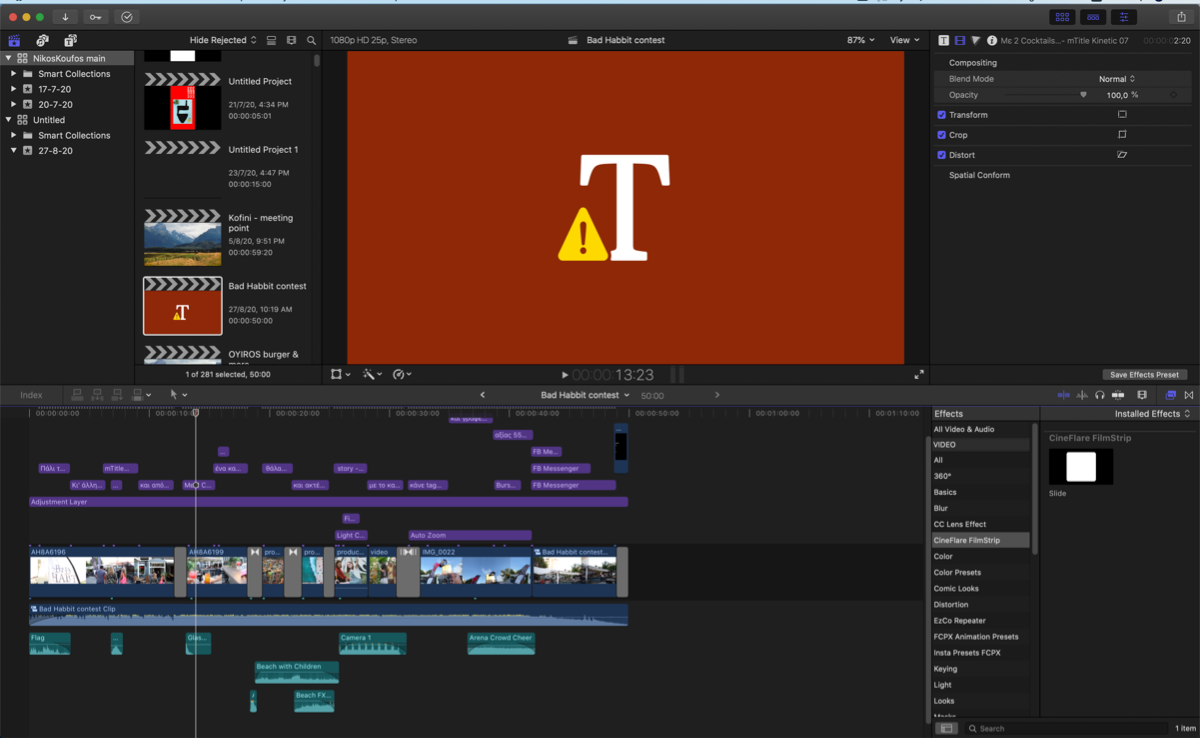
After updating to the latest version I opened and updated the library as suggested and now I have many projects with broken parts inside, from titles to effects and that's stuff I found in the first minutes. Very frustrating I tried restarting, deleting preferences and it dint work! the award part is that fcp tells me about missing titles etc but when you right click and reveal them on finder they are still there! I tried reinstalling the previous version (10.4. . I opened it and now I can't access my main library because it is updated, as it states, to work with a newer version (grrrrrr I am mad) but the titles in the browser are back to working. any suggestions or workarounds will be appreciated!
. I opened it and now I can't access my main library because it is updated, as it states, to work with a newer version (grrrrrr I am mad) but the titles in the browser are back to working. any suggestions or workarounds will be appreciated! 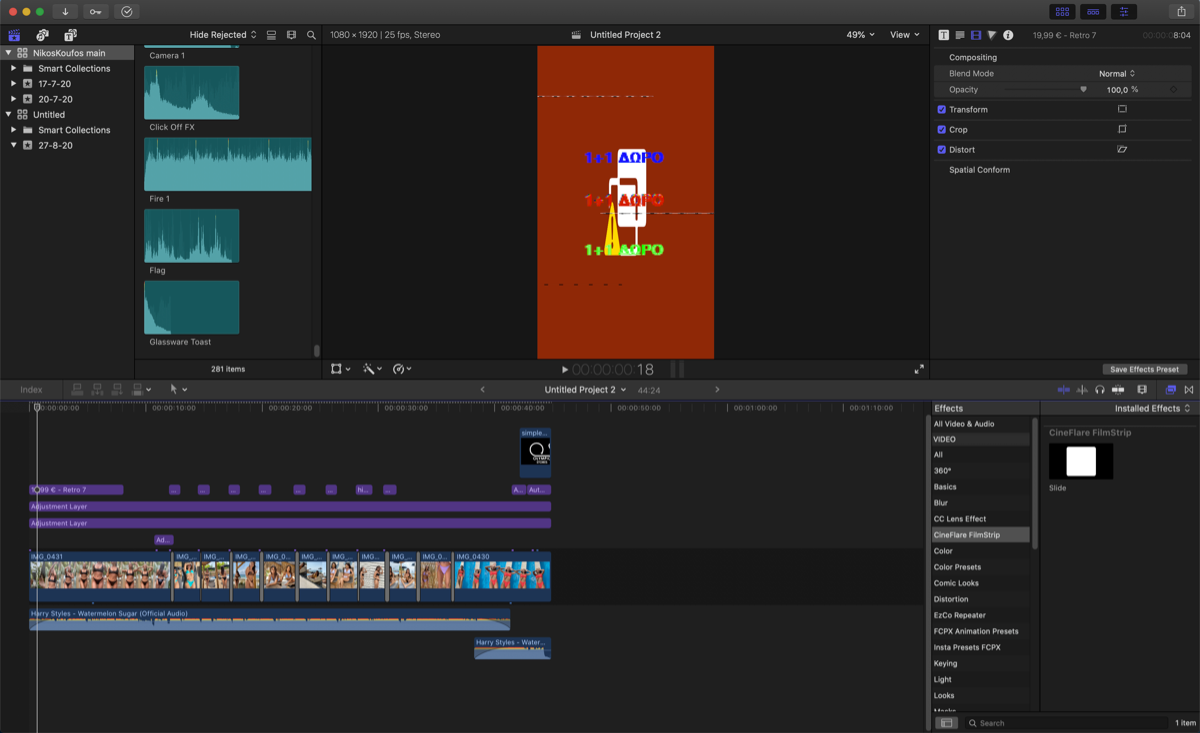
Please Log in to join the conversation.
- Tom Wolsky
-

- Offline
- Moderator
-

28 Aug 2020 11:29 #109624
by Tom Wolsky
Replied by Tom Wolsky on topic FCPX 10.4.9. update broke many titles and effects - update very carefully
It sounds z as if you have third party titles and effects. Where are they loaded? Can you give specific information about them? Effects may need to be updated from developers.
Please Log in to join the conversation.
- jonnyjive5
-

- Offline
- New Member
-

Less
More
- Posts: 1
- Thank you received: 0
28 Aug 2020 22:28 #109645
by jonnyjive5
Replied by jonnyjive5 on topic FCPX 10.4.9. update broke many titles and effects - update very carefully
The same thing happened to me. All of my effects and transitions are fine but none of my custom titles are in the browser list. I'm especially helpless without a title to use as an adjustment layer.
Location is as it should be I believe: HD / Movies / Motion Templates / Titles
Location is as it should be I believe: HD / Movies / Motion Templates / Titles
Please Log in to join the conversation.
- Tom Wolsky
-
- Offline
- Moderator
-
29 Aug 2020 12:24 #109672
by Tom Wolsky
Replied by Tom Wolsky on topic FCPX 10.4.9. update broke many titles and effects - update very carefully
If you don't have Motion, the folders Motion Templates and Titles have to have the extension .localized.
The location should be in your folder. I'm assuming that's what you mean.
The location should be in your folder. I'm assuming that's what you mean.
Please Log in to join the conversation.
06 Sep 2020 09:43 #109874
by mikdcee
Replied by mikdcee on topic FCPX 10.4.9. update broke many titles and effects - update very carefully
Hi there.. I am having the same issue. Most of my transitions and titles are not working. Do we have a work around for this? Thank you in advance.
Please Log in to join the conversation.
- Tom Wolsky
-
- Offline
- Moderator
-
07 Sep 2020 09:20 #109898
by Tom Wolsky
Replied by Tom Wolsky on topic FCPX 10.4.9. update broke many titles and effects - update very carefully
Third party titles and effects? Contact the developer, or try reinstalling them.
Please Log in to join the conversation.


07 Sep 2020 13:35 #109903
by cseeman
Replied by cseeman on topic FCPX 10.4.9. update broke many titles and effects - update very carefully
Add me to this list. In my case, it seems only some titles and backgrounds (third party) are broken.
Please Log in to join the conversation.
07 Sep 2020 14:05 #109905
by Nathan A
Replied by Nathan A on topic FCPX 10.4.9. update broke many titles and effects - update very carefully
I'm having the exact same issue. I used titles as color correction layers, and they are all broken with the latest update. Anybody got a fix?
I added new titles to the /Motion Templates/Titles folder, and they're working again. Is there a way of copying all my color corrections from one layer to another?
I added new titles to the /Motion Templates/Titles folder, and they're working again. Is there a way of copying all my color corrections from one layer to another?
Please Log in to join the conversation.
09 Sep 2020 02:03 #109936
by cseeman
Replied by cseeman on topic FCPX 10.4.9. update broke many titles and effects - update very carefully
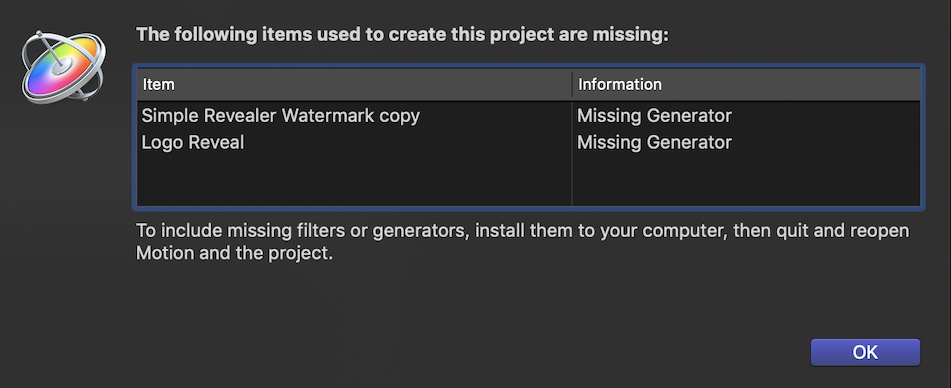
Some investigating on the broken things and when I select Open in motion I see...
Please Log in to join the conversation.
20 Sep 2020 21:31 #110145
by NoSpHieL
Replied by NoSpHieL on topic FCPX 10.4.9. update broke many titles and effects - update very carefully
Same problem here... Tons of titles, transitions and effects doesn't work anymore...
And as you said, the libraries as been converted already, what a mess
Plz a walkaround quick...
And as you said, the libraries as been converted already, what a mess
Plz a walkaround quick...
Please Log in to join the conversation.
20 Sep 2020 23:07 #110146
by cseeman
Replied by cseeman on topic FCPX 10.4.9. update broke many titles and effects - update very carefully
In my case I contacted FXFactory about a problem plugin and doing things like replacing the plugin, reinstalling FCPX, deleting preferences, they were able to reproduce the problem on one system and within a couple of days released an update for the plugin.
Apparently some plugins need to be updated and apparently updates not released.
I verified that both my 2013 Mac Pro on Catalina and my 2017 iMac Pro on Mojave saw the same issues.
So it's 10.4.9 specific and not related to macOS.
Apparently some plugins need to be updated and apparently updates not released.
I verified that both my 2013 Mac Pro on Catalina and my 2017 iMac Pro on Mojave saw the same issues.
So it's 10.4.9 specific and not related to macOS.
Please Log in to join the conversation.
21 Sep 2020 11:15 #110154
by realdawei
Replied by realdawei on topic FCPX 10.4.9. update broke many titles and effects - update very carefully
was afraid if this scenario....also has the title as adjustment layer technique ever been officially "sanctioned" by Apple?
Please Log in to join the conversation.

21 Sep 2020 17:56 - 21 Sep 2020 17:57 #110156
by VTC
Replied by VTC on topic FCPX 10.4.9. update broke many titles and effects - update very carefully
USERS>Movies>Final Cut Backups. Dig through that folder to find an earlier version of the project and then... THEN....
DON'T OPEN IT IN ANYTHING UNTIL YOU MAKE A BACKUP COPY.
After you've done that THEN open in a previous version of FCPX and everything should be intact. If things are not quite right open A COPY in yet an earlier version of FCPX. I just looked and found I have backups on this computer going back to 2016.
One other thing I do after every final export is to save an XML file with date & time file was saved. That way you can determine if the project has retained its settings on a newer version of FCPX without actually having to update the library which, as you've discovered, poisons it and keeps you from going back to the earlier version that created it.
DON'T OPEN IT IN ANYTHING UNTIL YOU MAKE A BACKUP COPY.
After you've done that THEN open in a previous version of FCPX and everything should be intact. If things are not quite right open A COPY in yet an earlier version of FCPX. I just looked and found I have backups on this computer going back to 2016.
One other thing I do after every final export is to save an XML file with date & time file was saved. That way you can determine if the project has retained its settings on a newer version of FCPX without actually having to update the library which, as you've discovered, poisons it and keeps you from going back to the earlier version that created it.
Last edit: 21 Sep 2020 17:57 by VTC.
Please Log in to join the conversation.
