


- Posts: 8
- Thank you received: 0
3 Post Moderation Rule for New Boarders (25 Jan 2021)
New boarders will have their posts moderated - Don't worry if you cannot see your post immediately.
FCPX and External Hard Drive files not showing up
- SeanyBoy72
-
 Topic Author
- Offline
- New Member
-

Less
More
19 Jun 2020 16:39 #108018
by SeanyBoy72
FCPX and External Hard Drive files not showing up was created by SeanyBoy72
Posting to help others with issue I just resolved with apple.
Issue: External hard drives mounted but files are not showing up / seen when using FCPX on importing media.
External drives are mounted on computer but for some reason FCPX doesn't see any media on it.
Solution: OS Catalina upgrade had security features and you must tell it to allow FCPX to have Full Disk Access.
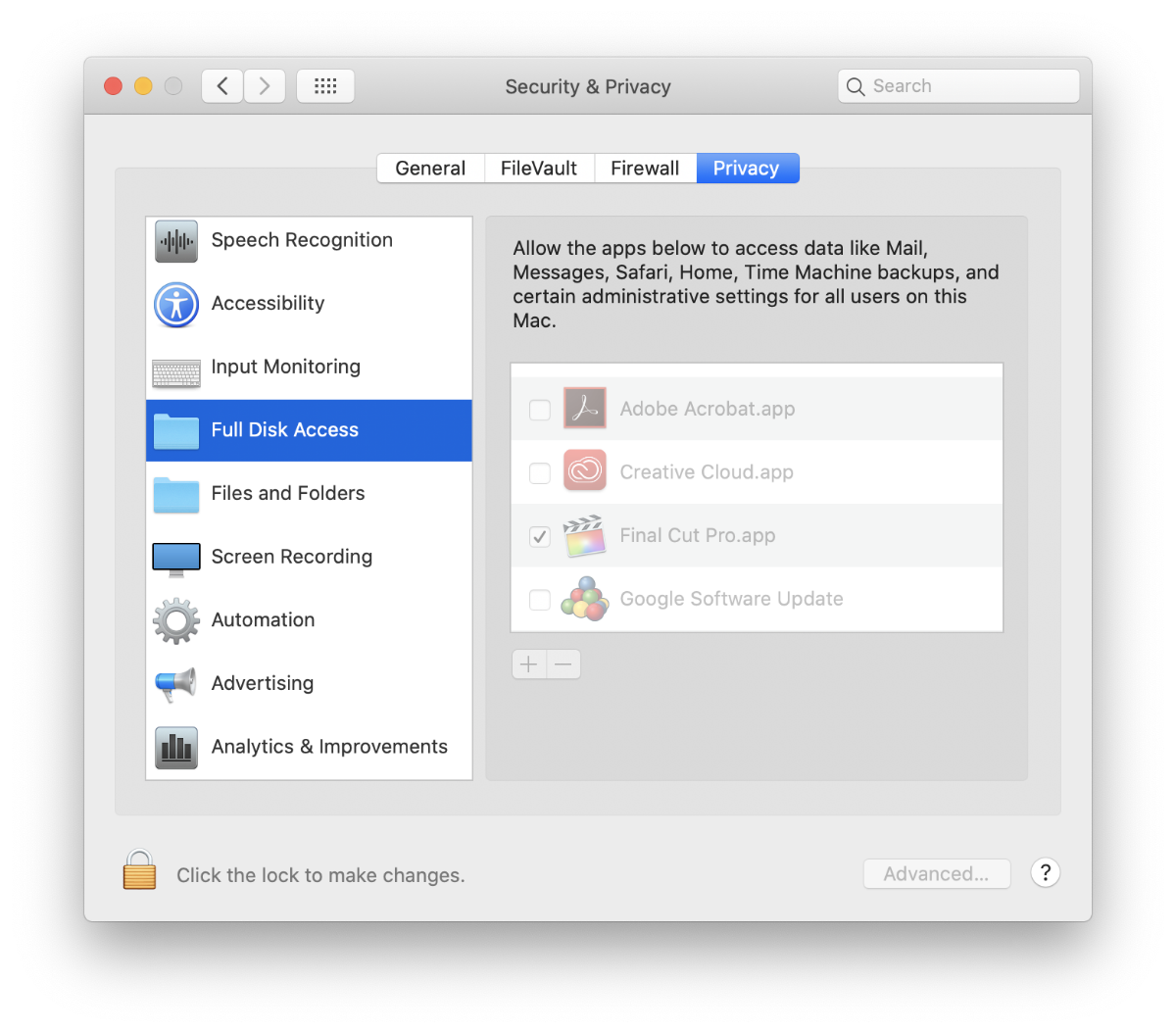
Go to “System Preferences” / “Security & Privacy” / “Privacy”. Scroll down on left column to “Full Disk Access”. Unlock using user password or fingerprint ID. In column on right side that is now unlocked, scroll to the application, in my case it was “Final Cut Pro.app” and check the box to allow it to have Full Disk Access.
Hope this helps others.
Issue: External hard drives mounted but files are not showing up / seen when using FCPX on importing media.
External drives are mounted on computer but for some reason FCPX doesn't see any media on it.
Solution: OS Catalina upgrade had security features and you must tell it to allow FCPX to have Full Disk Access.
Go to “System Preferences” / “Security & Privacy” / “Privacy”. Scroll down on left column to “Full Disk Access”. Unlock using user password or fingerprint ID. In column on right side that is now unlocked, scroll to the application, in my case it was “Final Cut Pro.app” and check the box to allow it to have Full Disk Access.
Hope this helps others.
Please Log in to join the conversation.
