


- Posts: 479
- Thank you received: 5
3 Post Moderation Rule for New Boarders (25 Jan 2021)
New boarders will have their posts moderated - Don't worry if you cannot see your post immediately.
need for projects
19 Oct 2012 12:38 #15296
by parkerhqj
need for projects was created by parkerhqj
I'm sure I'm missing something, but I've discovered that I almost exclusively use events for everything I do in fcpx. Instead of projects, I use compound clips within the events - in the browser. I haven't figured out why I need to use projects at all. Maybe if I wanted to share a project and the associated media with another editor, but then I'd probably want them to have access to all the media in the event in which case, I'd just share the event anyway (or as I learned the other day, share the metadata by copying over that file in the finder). How is this going to come back to haunt me - or, less likely, has Apple unwittingly created an unnecessary feature? If I create compound clips for each new version of an edit, they're all there in my browser looking like one clip rather than an entire project with all the thumbnails opening down below. What can I do in a project that I can't do in a compound clip?
Please Log in to join the conversation.

19 Oct 2012 14:12 #15306
by BenB
Replied by BenB on topic Re: need for projects
Media Management, that's all. For example, I have 7 scenes in my digital film. I will make a Compound Clip in the Event, as you do, for each "scene". Then create a Project to assemble them in. I "could" just put them all in another Compound Clip, but that will put more strain on my system. FCPX at this point isn't all that stable with CCs inside of other CCs. And projects are easier to search through and access. Too many CCs in one Event will bloat the database for that Event, also. The more bloated a single database file is, the more it can potentially slow down your system.
There are those for whom the Project is very, very useful. Especially for media and export file management.
I can change the settings of a Project timeline after it's created, which I can't do for a CC.
There are those for whom the Project is very, very useful. Especially for media and export file management.
I can change the settings of a Project timeline after it's created, which I can't do for a CC.
Please Log in to join the conversation.
19 Oct 2012 14:22 #15308
by parkerhqj
Replied by parkerhqj on topic Re: need for projects
Got it. That makes a lot of sense. Although I have to say that multiple projects with all the thumbnail generating that goes on can slow things down as well. I can avoid this by opening only those projects that I know I will be using (via Event ManagerX), but it seems more convenient to have my various scenes readily available in the browser instead. I see your point either way.
Please Log in to join the conversation.

20 Oct 2012 03:44 #15323
by dgwvideo
Creating history....one edit at a time !
Replied by dgwvideo on topic Re: need for projects
You can also either let your thumbnails render until they are complete or cancel their rendering until a more convenient time. Once rendered, they won't need to do that again reducing the burden on your system.
Creating history....one edit at a time !
Please Log in to join the conversation.
20 Oct 2012 13:27 #15331
by BenB
Replied by BenB on topic Re: need for projects
Also, that thumbnail and database loading time will be very long or super short depending on your unique system specs.
Please Log in to join the conversation.
23 Oct 2012 13:54 #15427
by parkerhqj
Replied by parkerhqj on topic need for projects
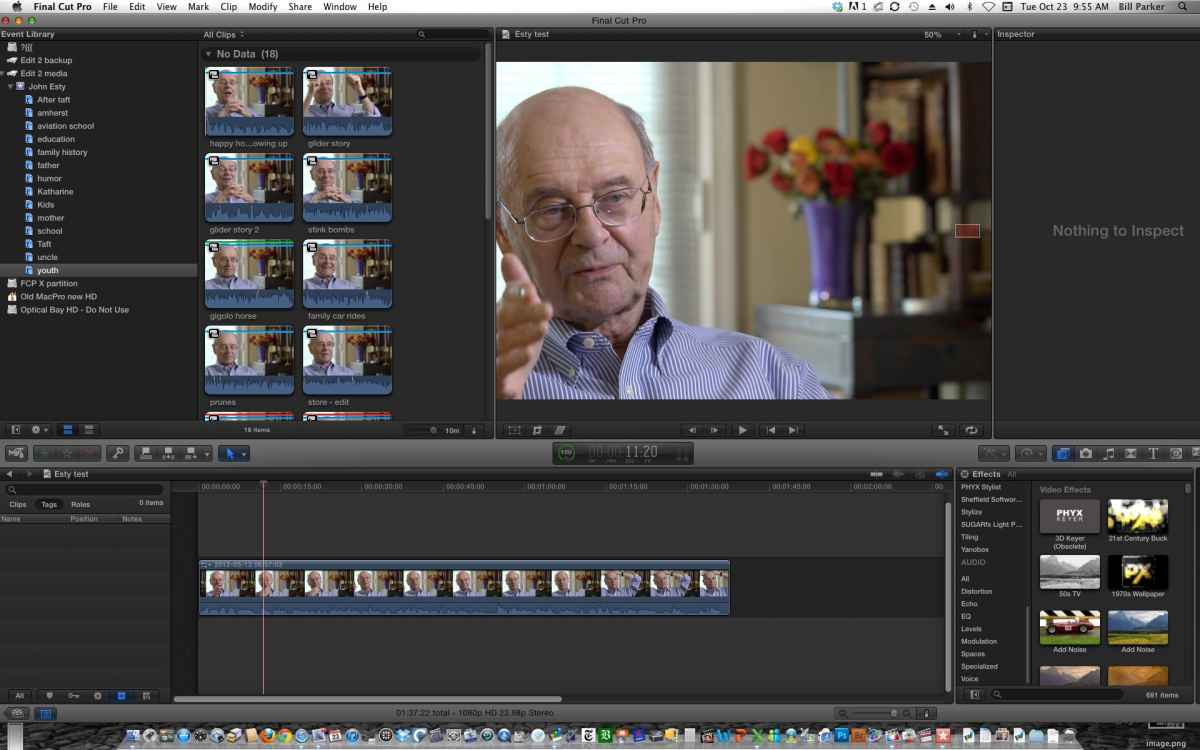
I created an event a while ago and used a work flow that I'm now a little nervous about. I was annoyed that I couldn't see favorites in thumbnail view - only in list view - so I chose my selects for the entire event using compound clips and then labeling them in the browser. It seemed like a sensible solution at the time (they're all arranged very nicely in the browser and readily accessible via keywords), but now I'm not so sure. A number of delays have kept me from actually starting the edit, so they're all sitting there waiting to go. There are about 80 of them. If I start placing them on a timeline in a project, how soon will I know whether they're going to bog down my system? I can rectify this I guess by opening the compound clips as I need them, copying the clip itself to my timeline and leaving the compound clips in the browser. Or will the compound clips mere presence in the event browser slow things down regardless?
Please Log in to join the conversation.
23 Oct 2012 14:15 #15430
by BenB
Replied by BenB on topic need for projects
What? I'm confused. Why can't you see your Favorites in the filmstrip view? I can see them. Green line across the top of a clip. You go to the menu at the top left of the Browser, set it to Favorites, you'll only see your Fav ranges/clips.
Please Log in to join the conversation.
23 Oct 2012 14:24 #15431
by parkerhqj
Replied by parkerhqj on topic need for projects
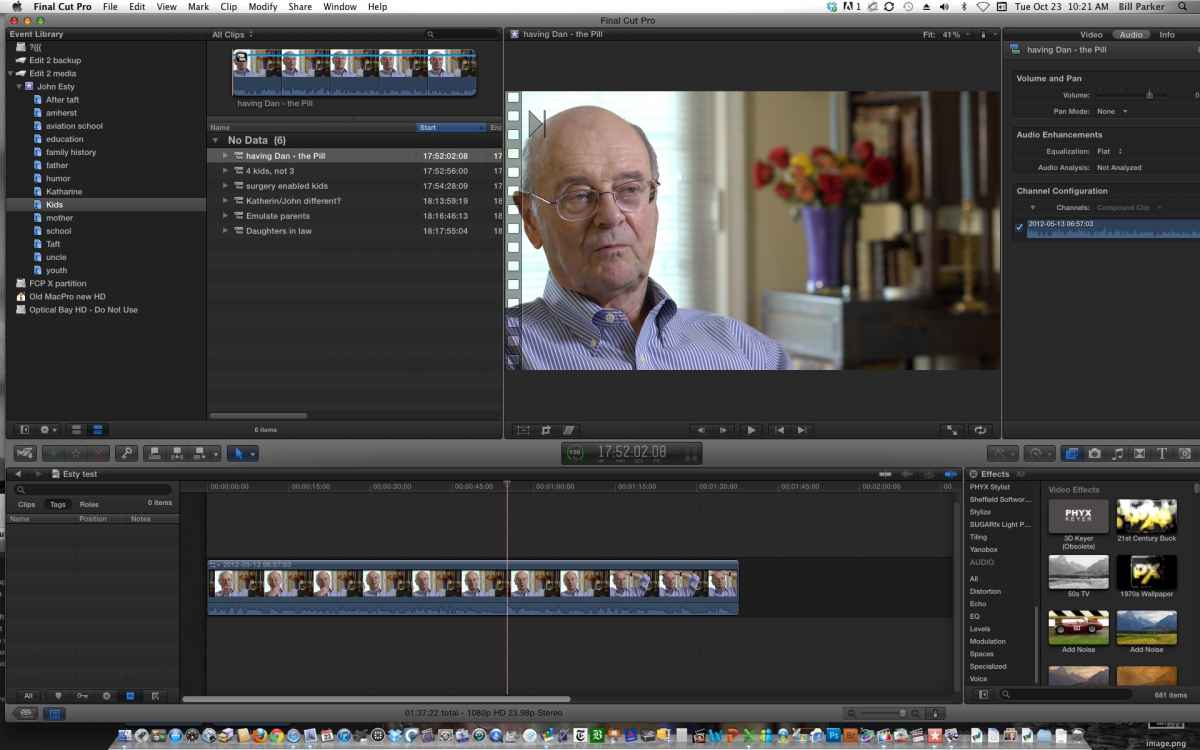
I can see them, but they're not labeled. If you just use the list view and you have multiple selects - favorites, all the clips that have your selects are listed. Then you have to open all the clips to see your favorites. And you have to reopen all the clips each time you leave and return to the page. Included in those clips are all the keywords associated with those clips. It makes for a messy and time-consuming process to access your labeled favorites. Using compound clips instead of favorites, I can see my labeled favorite either way - list or thumbnail - and I don't have to constantly open the clips in the list view to see them.
Please Log in to join the conversation.
